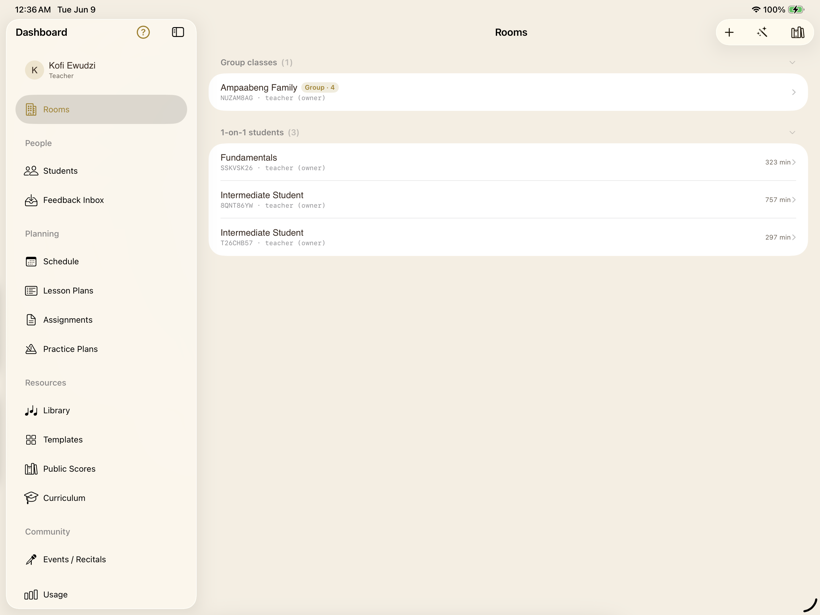
One dashboard
A role-aware home: rooms, people, planning, and resources in a single sidebar.
 SYNCopated
Every feature
The whole toolkit for teaching piano online — the live lesson, your studio, a curated score library, scheduling, and practice — each one shown in a real screenshot from the app.
Everything to manage students, rooms, and content — without a spreadsheet.
A role-aware home: rooms, people, planning, and resources in a single sidebar.
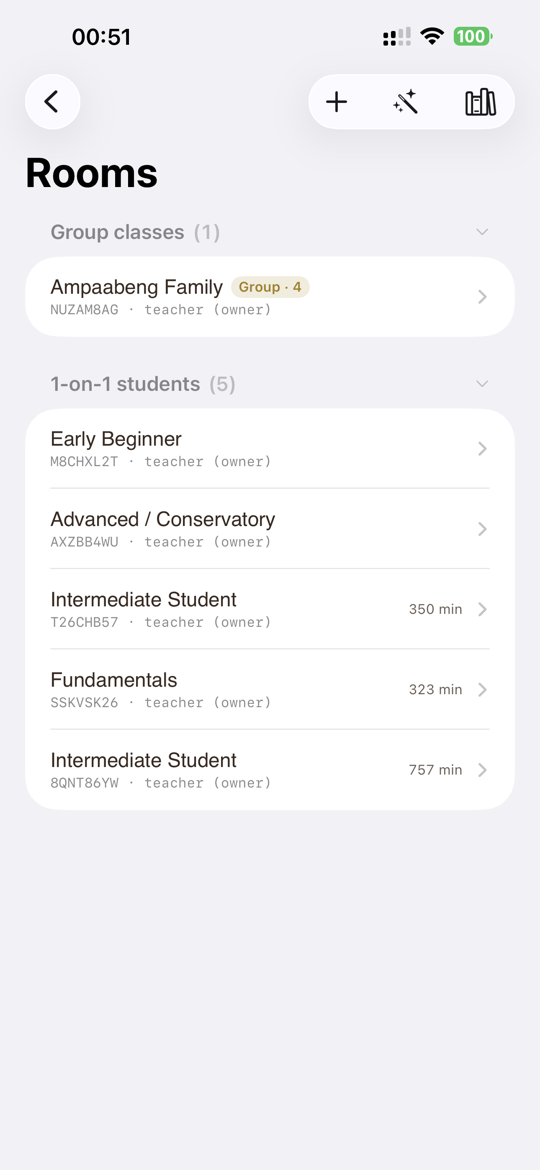
One-on-one students and group classes, each showing this month's minutes.
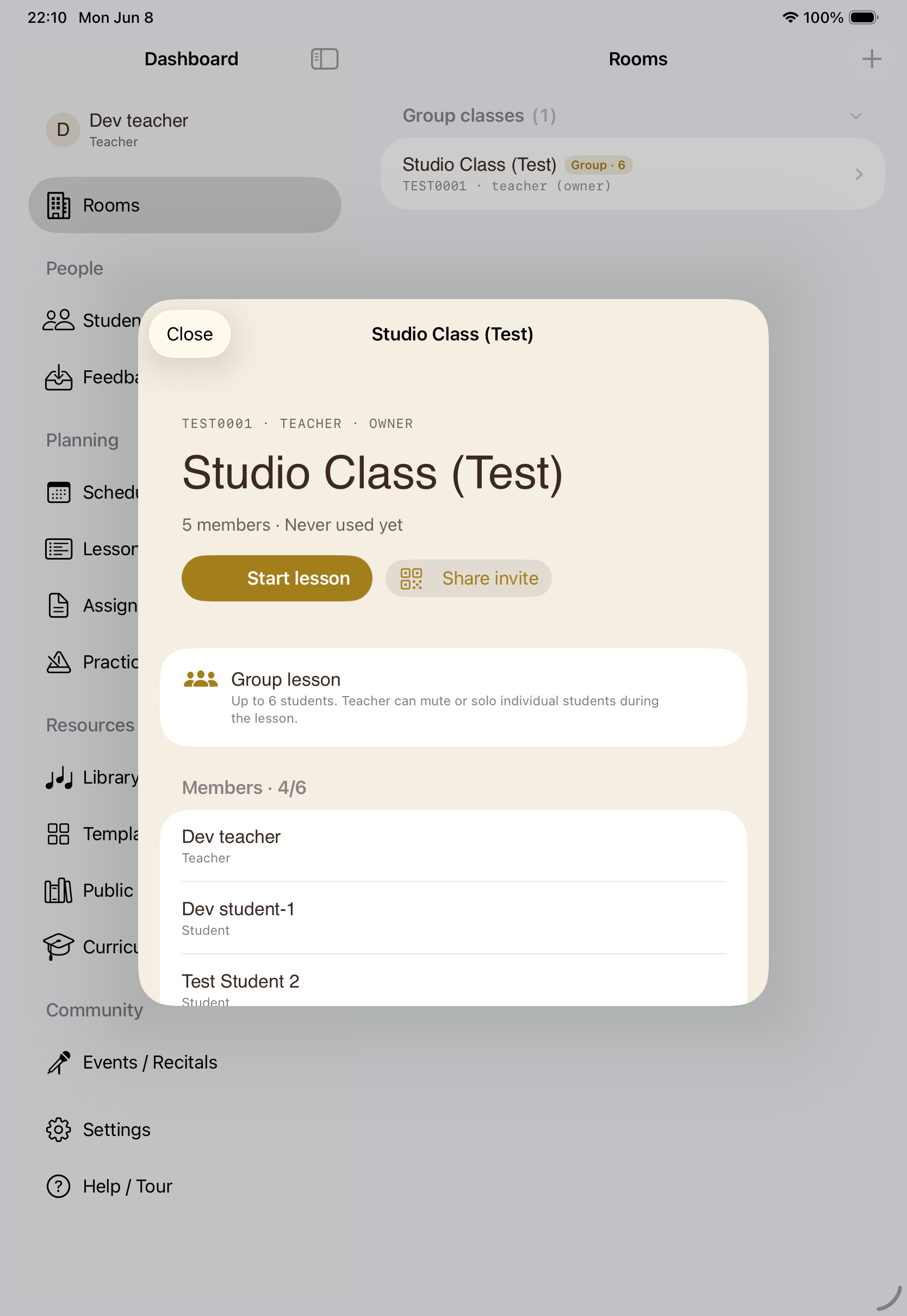
Group classes where the teacher can mute or solo each student during class.
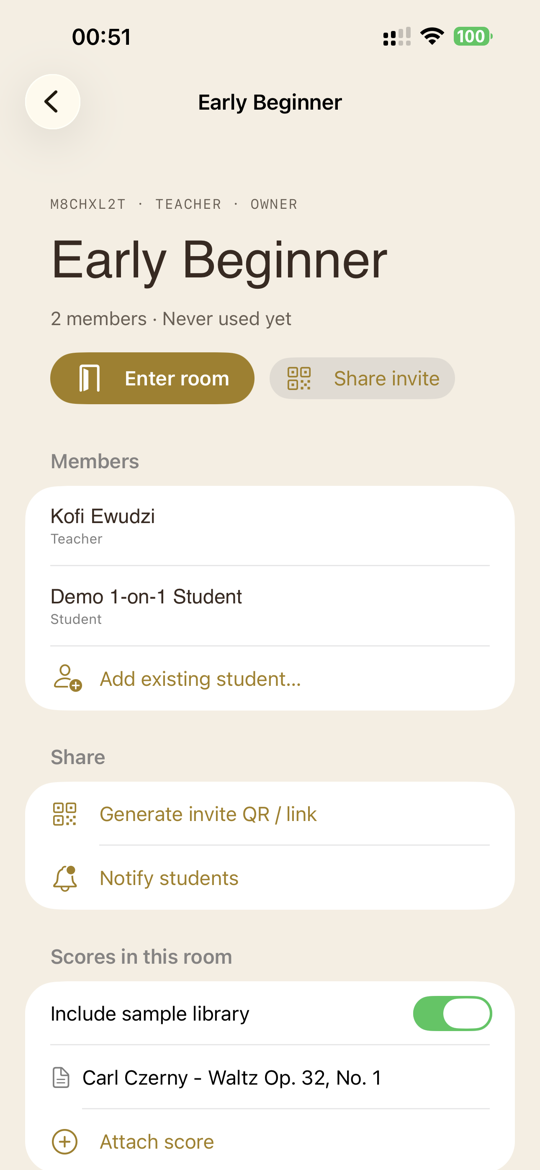
Scores, assignments, lesson and practice plans, members, and the invite — in one place.
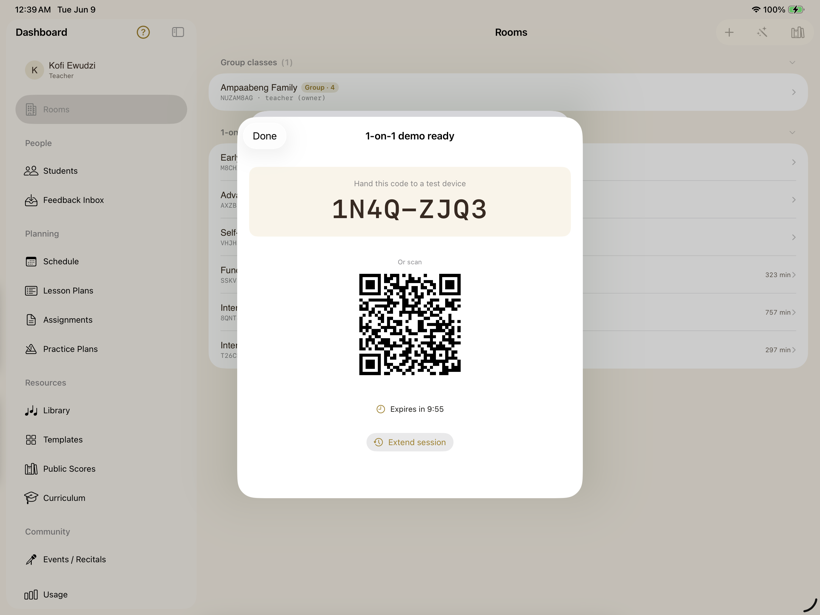
A QR code, a short code, or a link — however the family prefers to join.
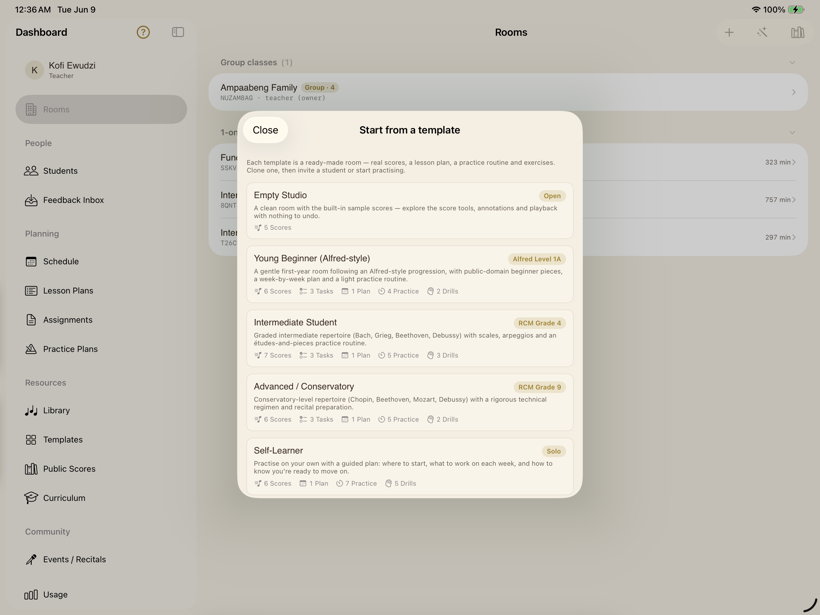
Cloneable starter rooms by level, from young beginner to advanced.
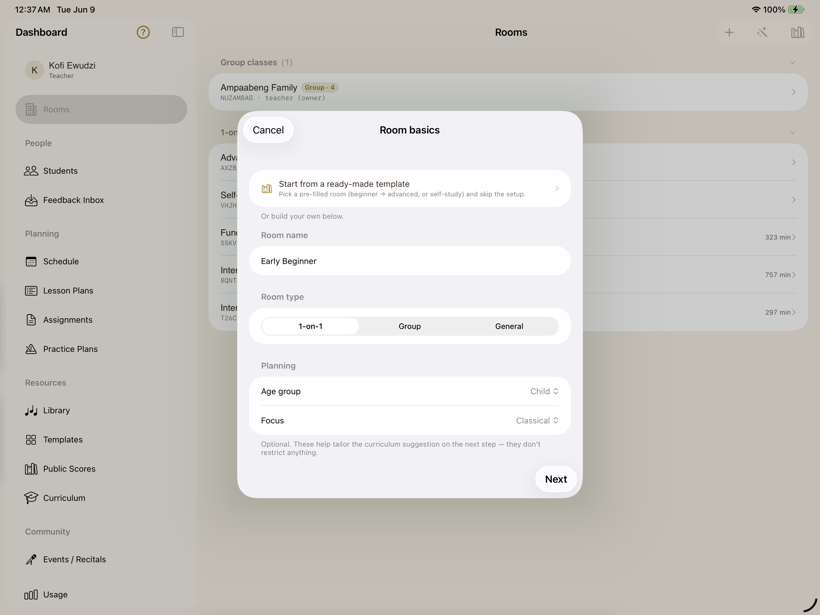
A guided path: name, age, and focus, then seed curriculum, scores, and exercises.
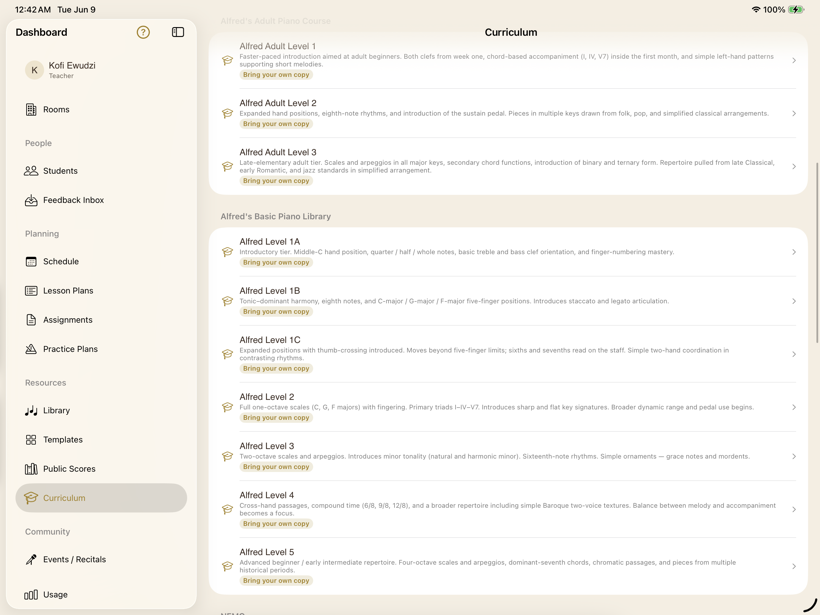
Graded levels (Alfred, RCM, ABRSM) with ready-made repertoire and theory.
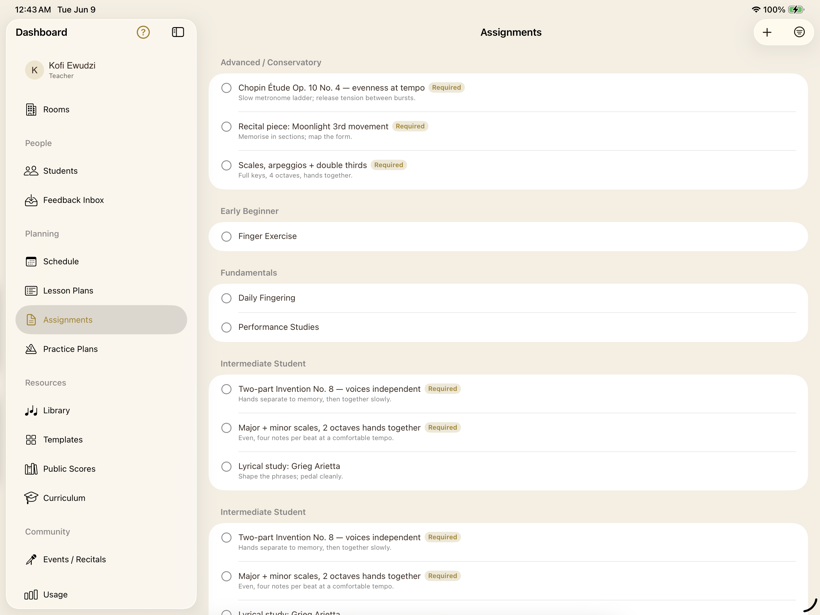
Every assignment, grouped by student, with due dates and instructions.
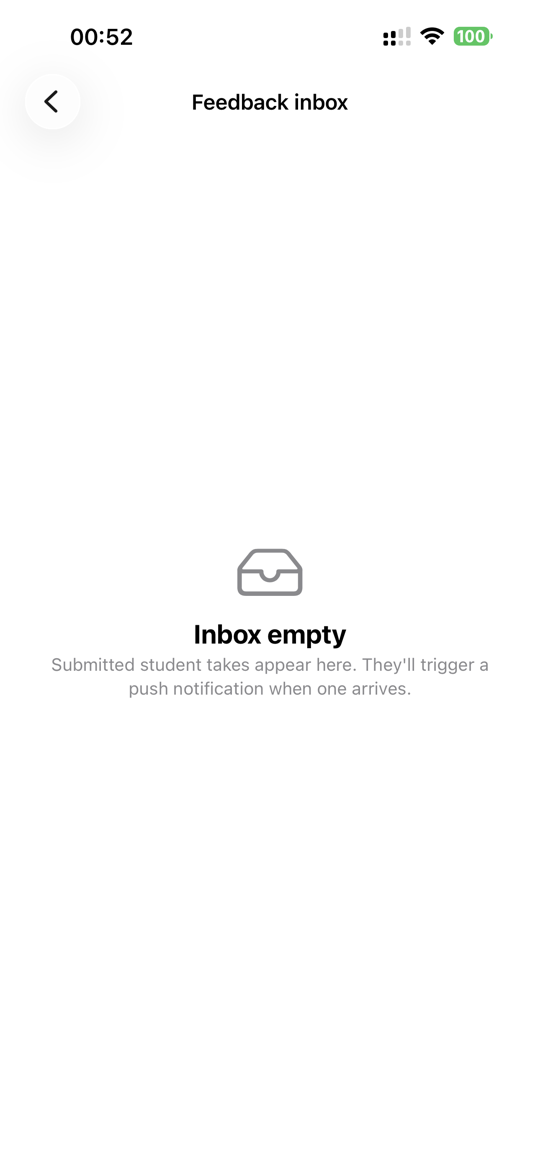
Student takes submitted for review arrive here with a push notification.
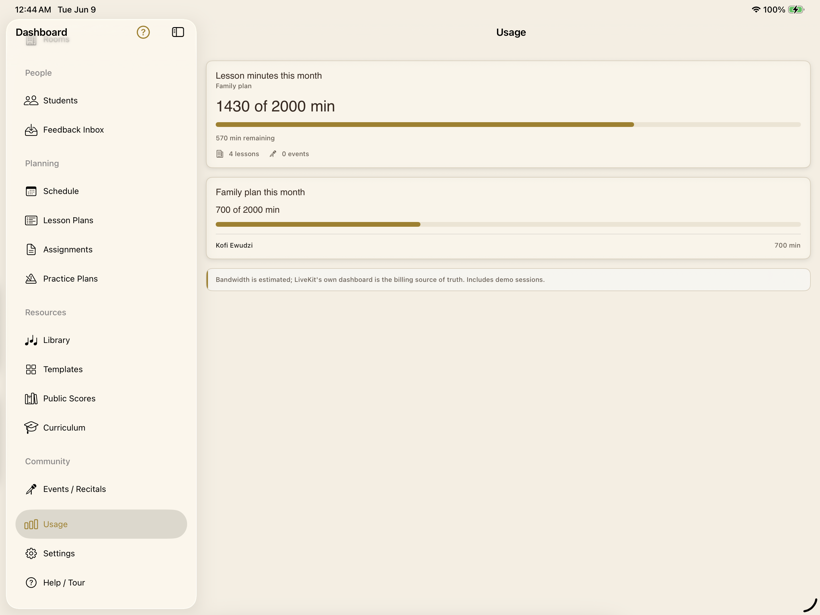
Monthly lesson minutes, caps, and a shared family-plan pool.
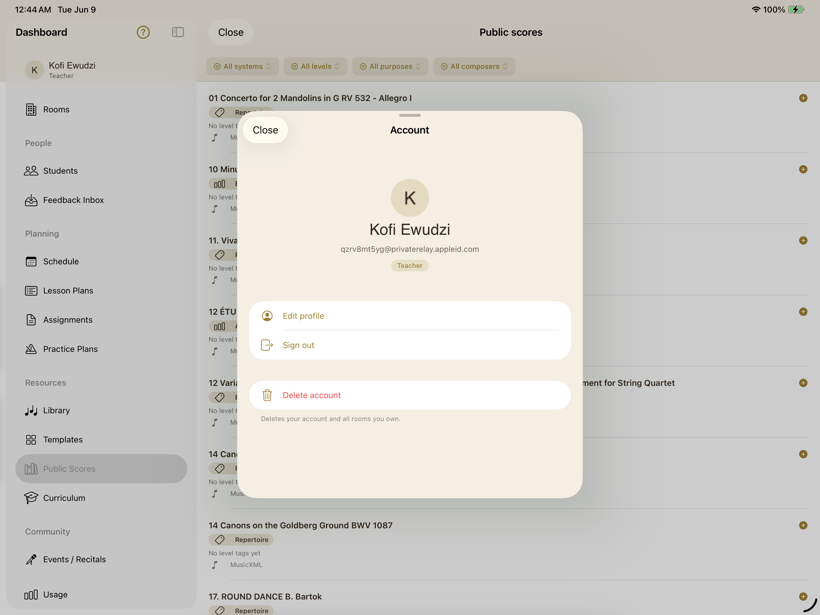
Edit your profile, sign out, or delete your account and all of its data.
The part that matters most: a real lesson, on one shared page.
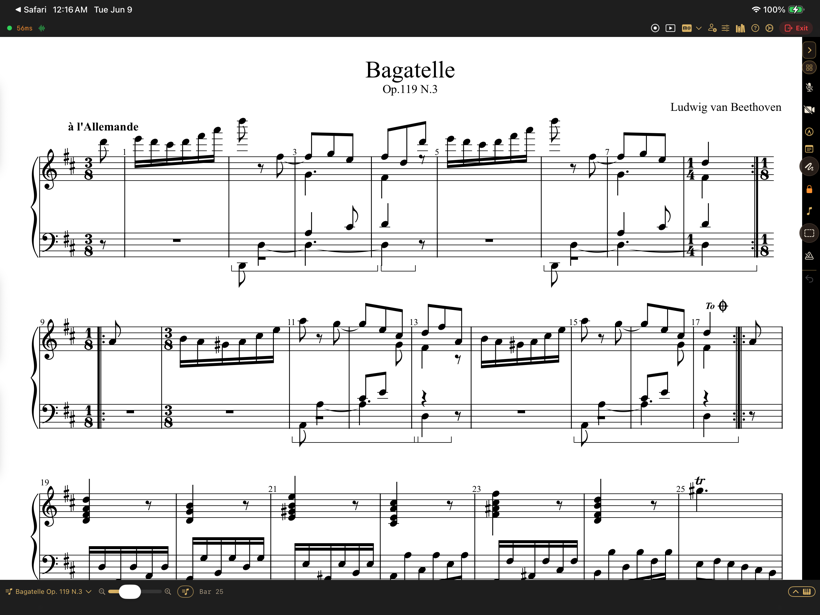
One score and one synced cursor — MusicXML or PDF — on both screens at once.
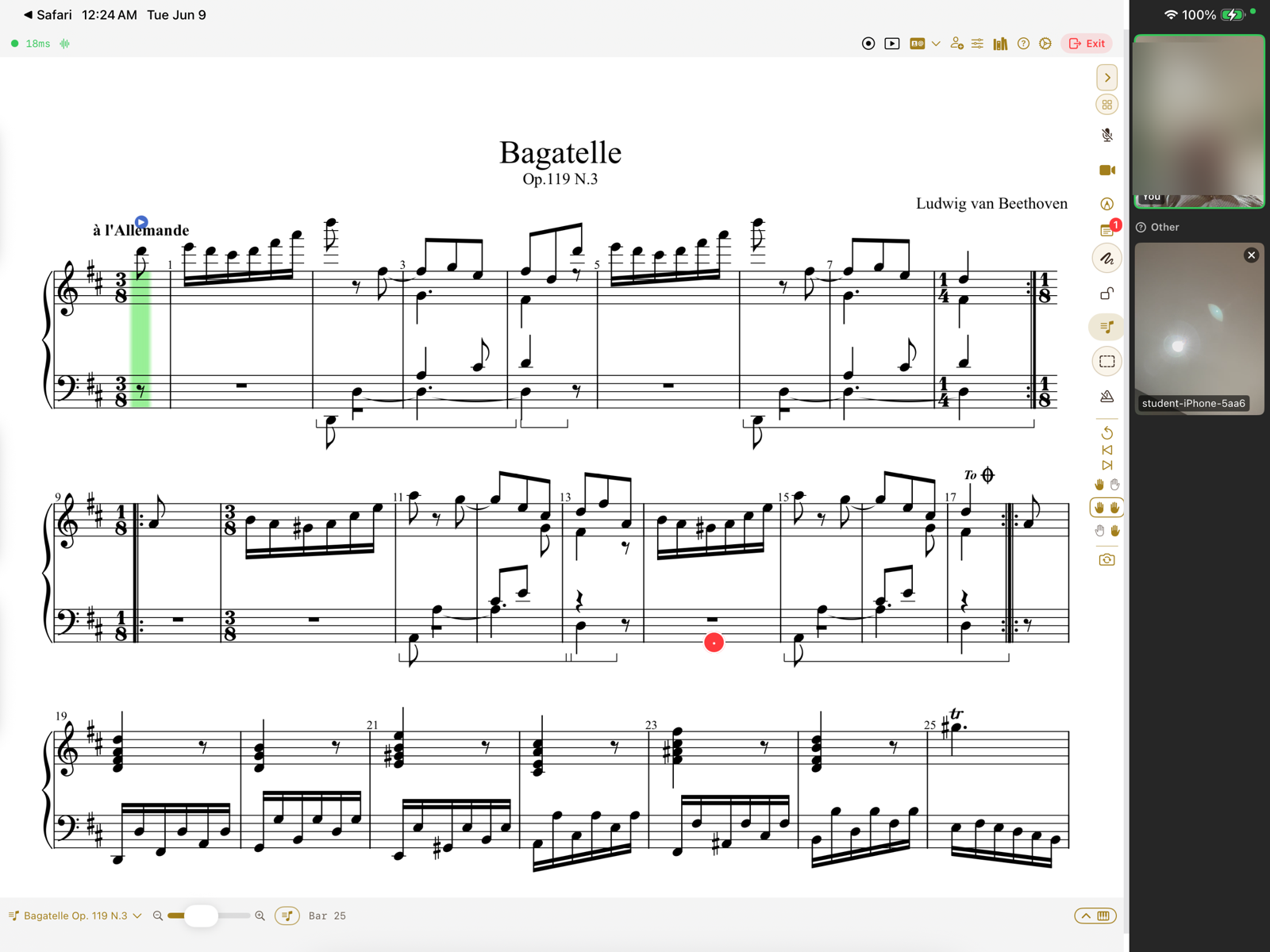
Face-to-face video right beside the score. (The camera tile is blurred here for privacy.)
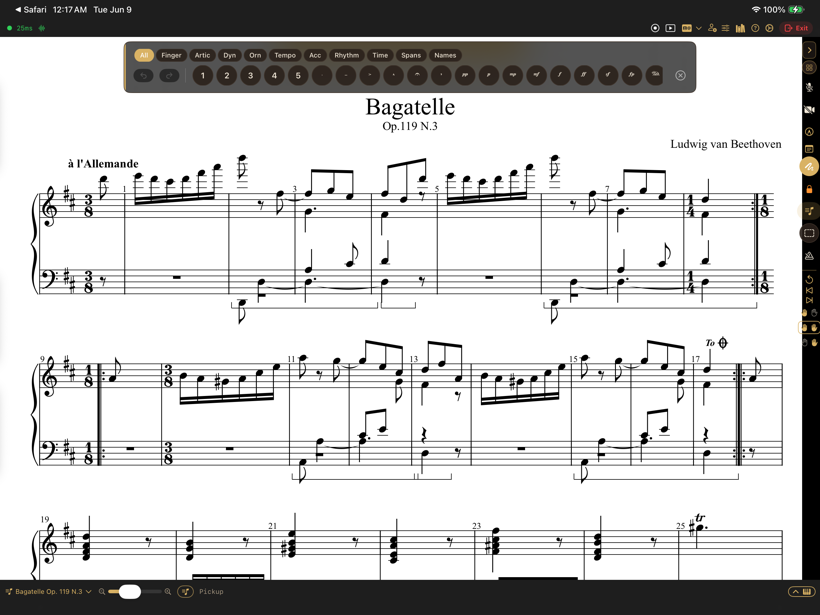
Draw in Apple Pencil, or drop fingerings, dynamics, and slurs from a notation palette.
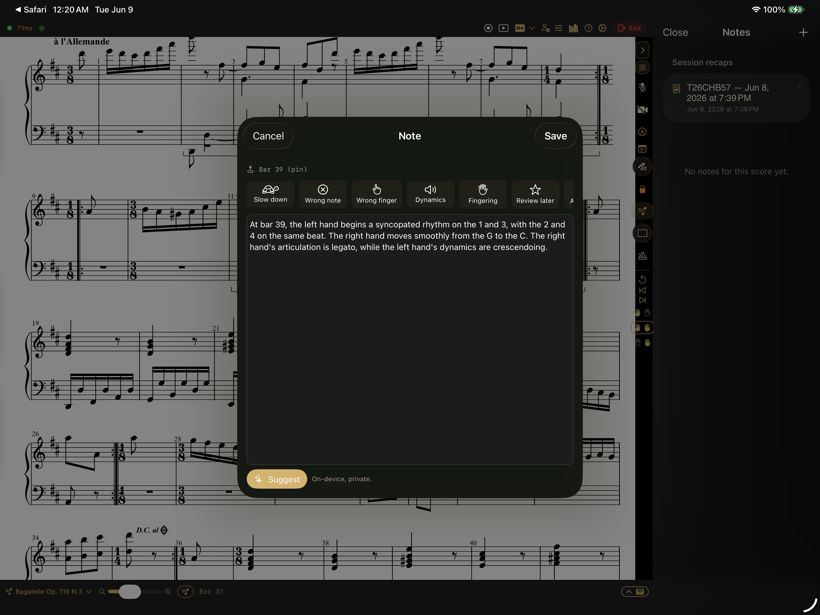
Pin a note to a bar, or tap a quick mark — slow down, wrong note, dynamics.
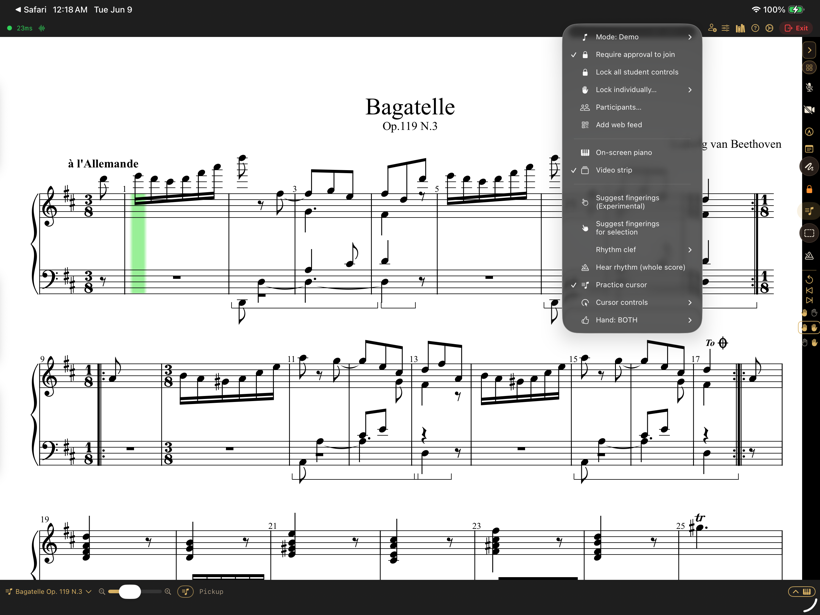
Demonstration, instruction, feedback — each sets sensible audio, video, and cursor defaults.
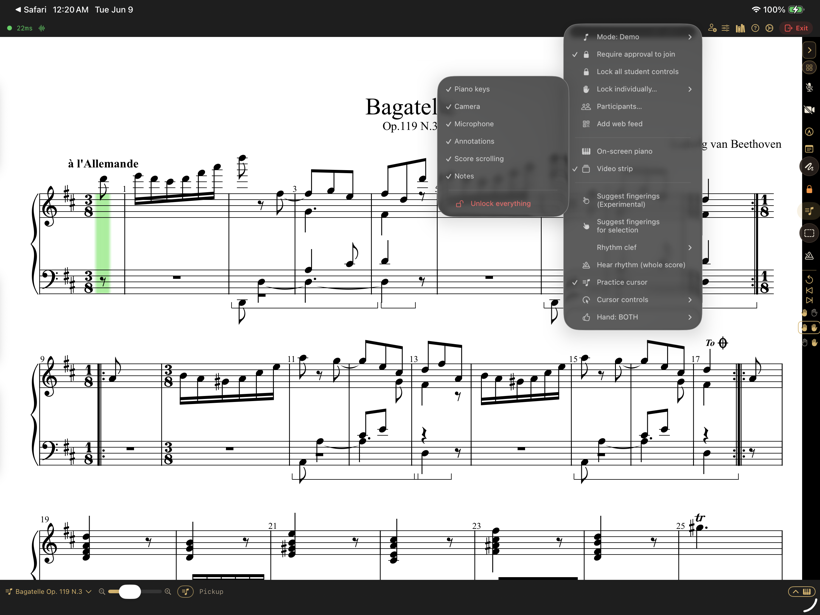
Lock the piano, camera, mic, annotations, scrolling, or notes — each on its own.
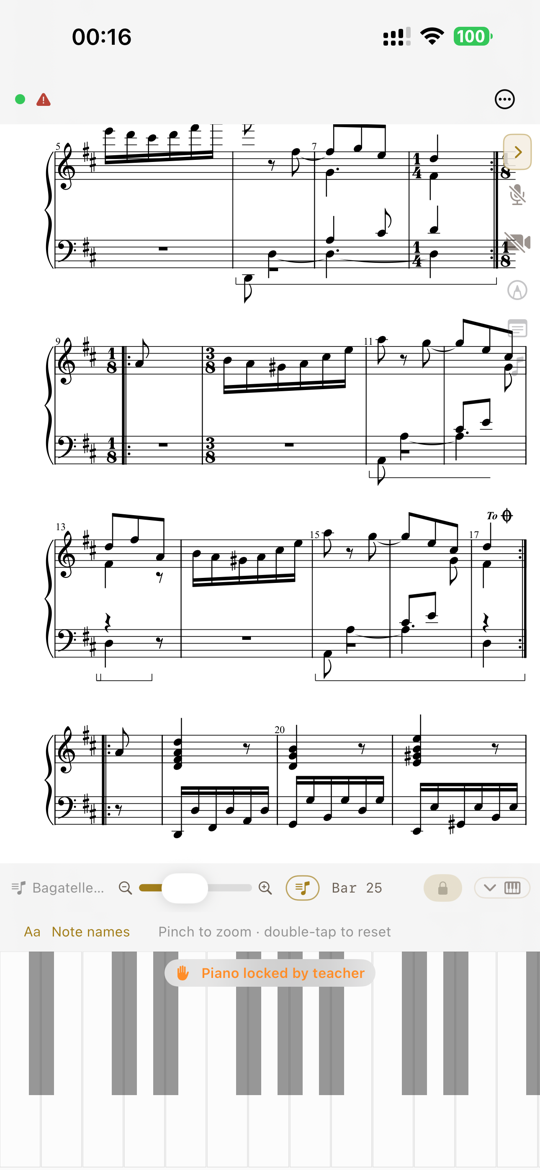
“Piano locked by teacher” keeps a young student on the very same page.
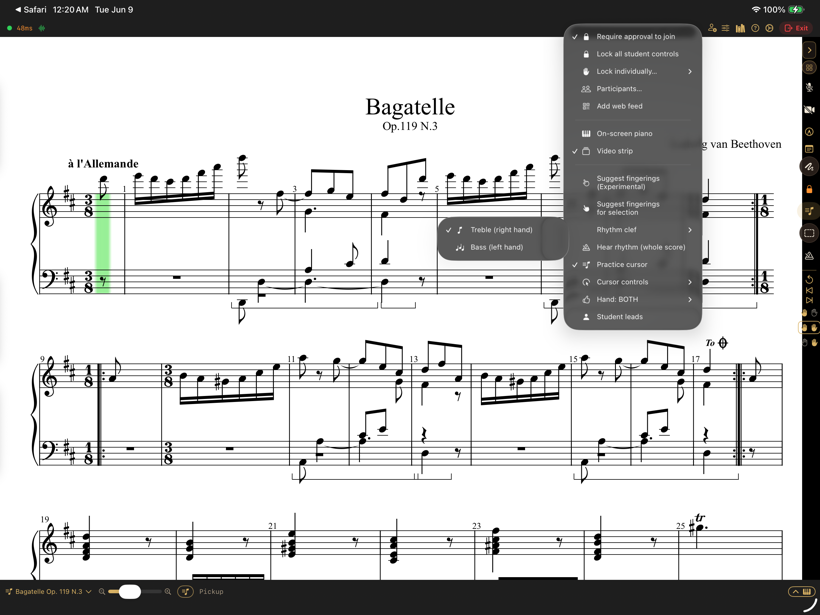
The cursor follows the student's playing; choose which hand leads.
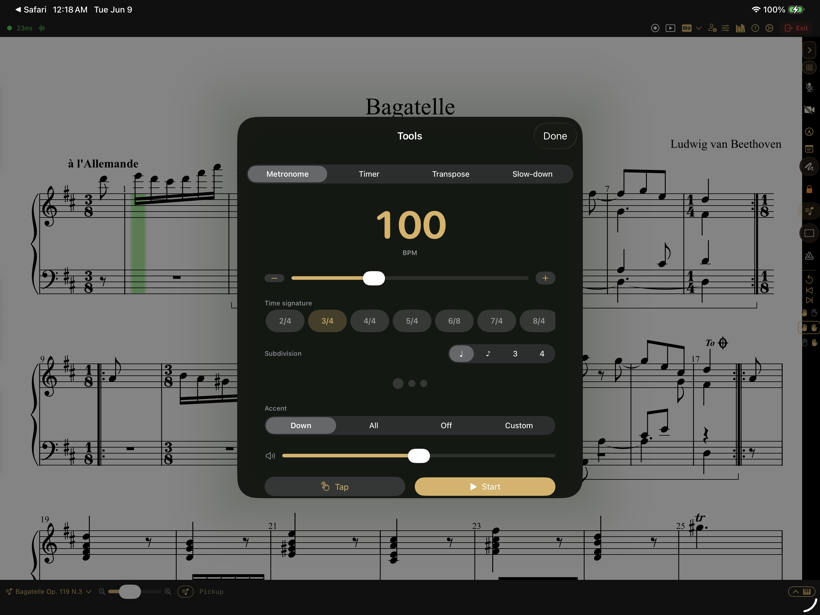
A shared beat: tempo, time signature, subdivision, and accent.
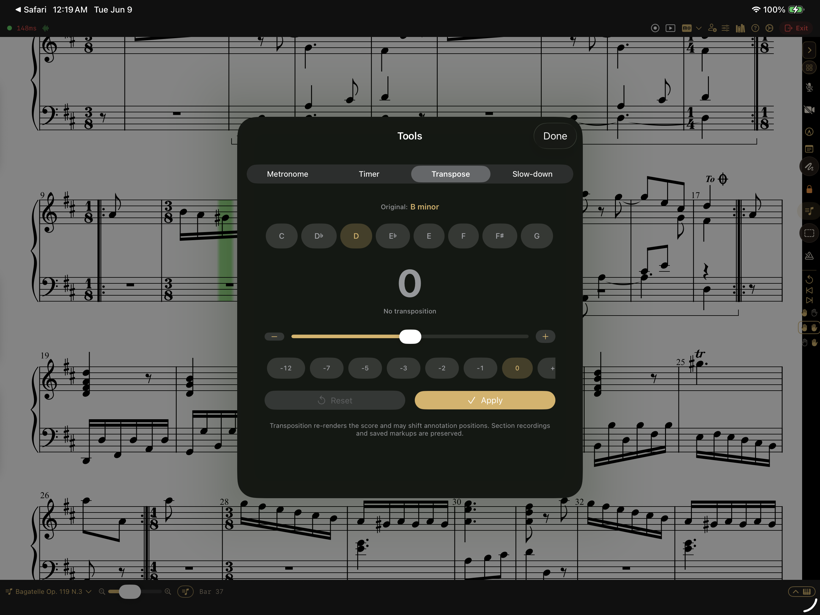
Move the whole score to any key in a single tap.
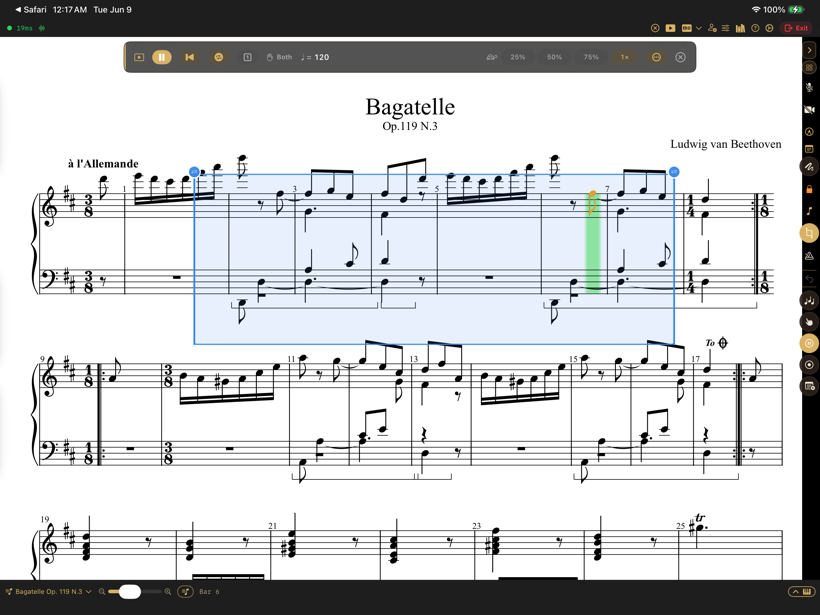
Play the score with repeats and ornaments, at 50, 75, or 100% speed.
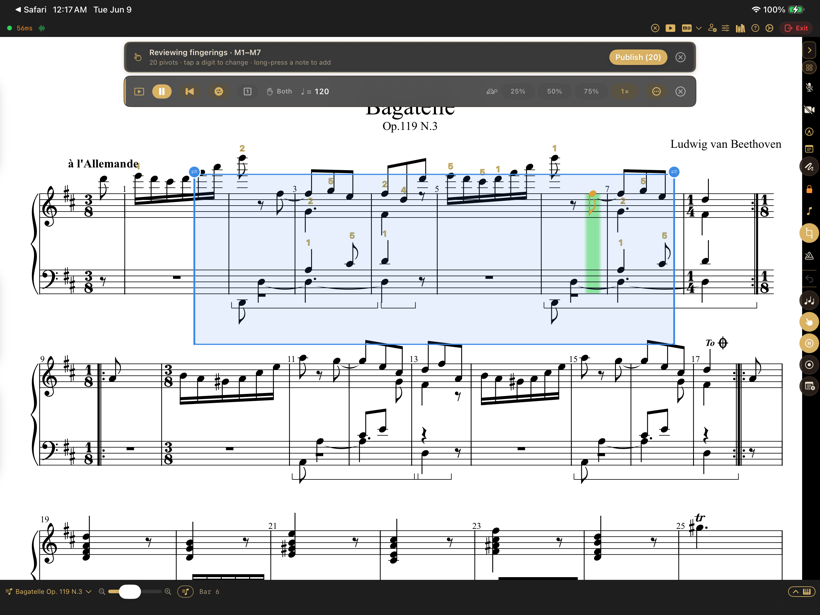
An on-device engine proposes fingerings for a passage to review and publish.
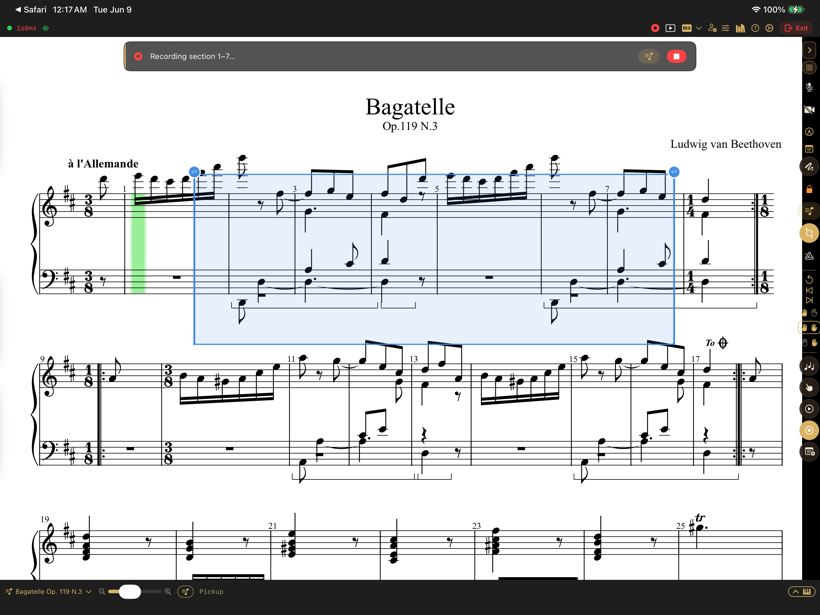
Record a short MIDI demo onto a passage for the student to replay.
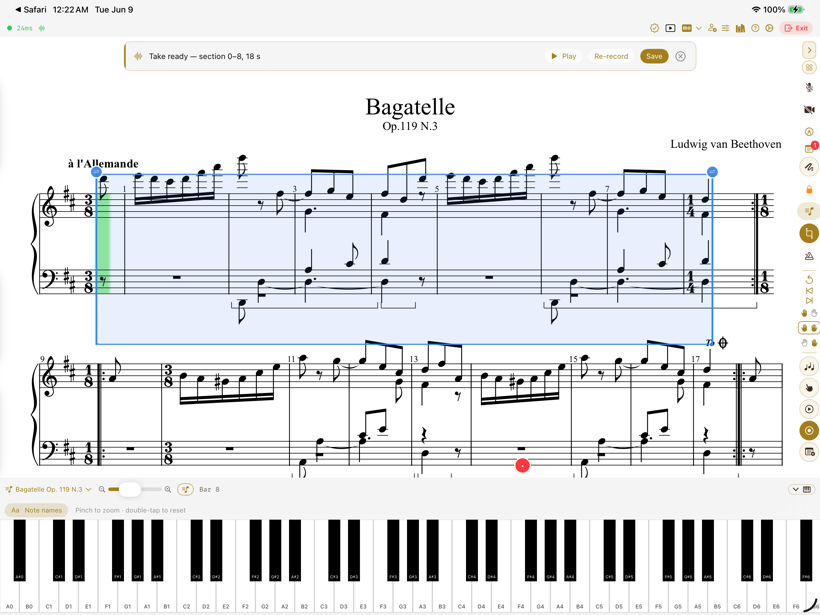
No keyboard to hand? Play and answer right on the screen.
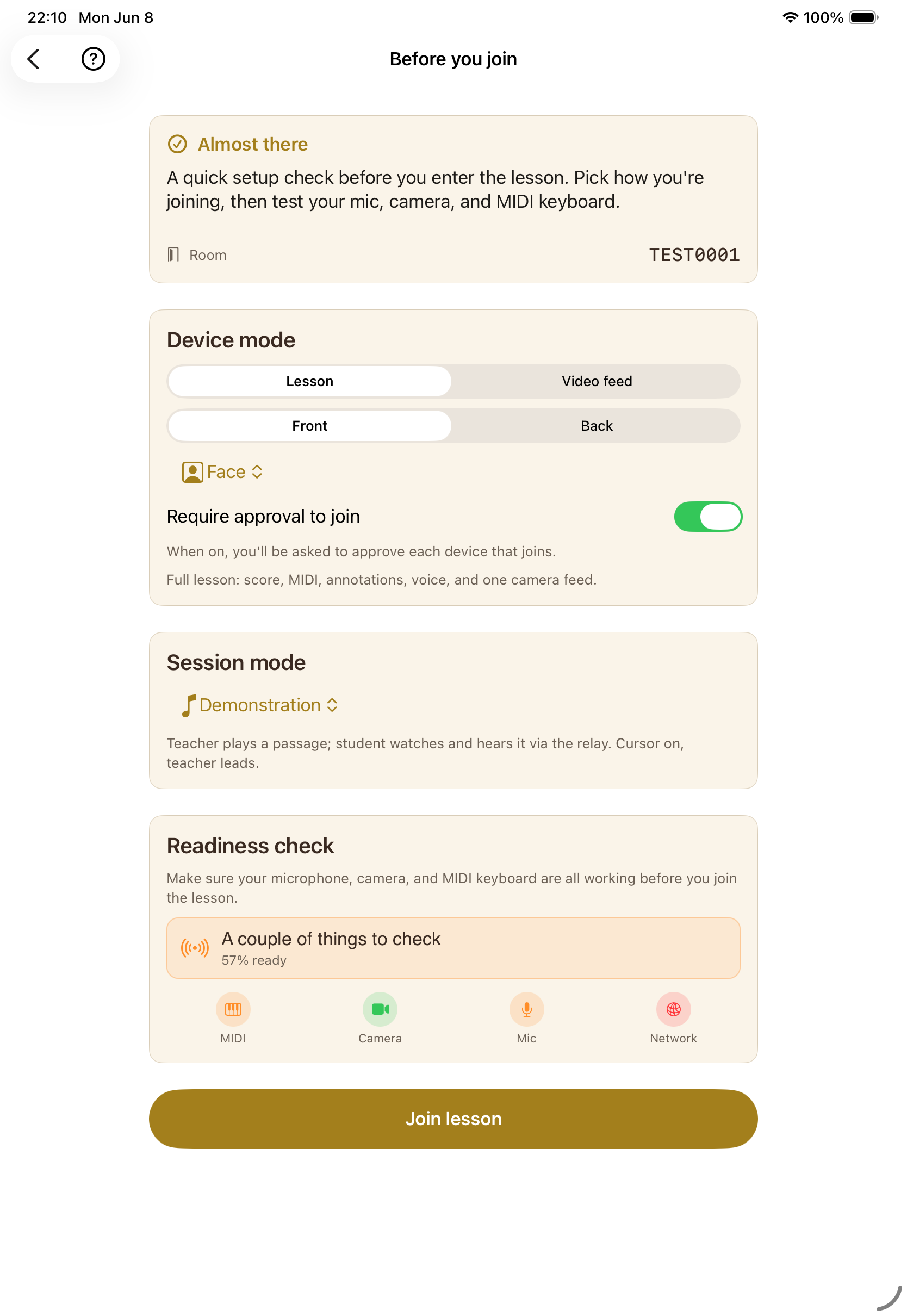
Mic, camera, MIDI, and network confirmed before anyone is on the spot.
Bring your own music, or pull from a curated public-domain collection.
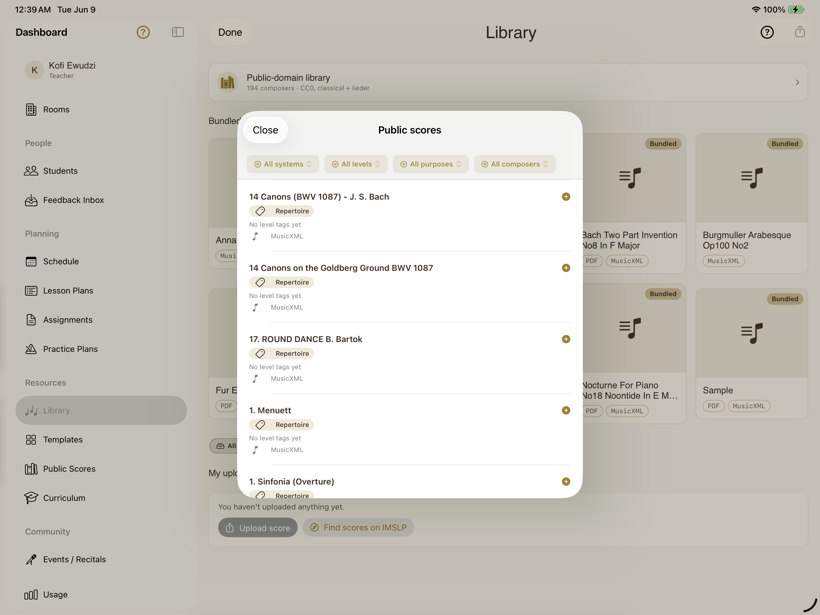
Upload your own PDFs and MusicXML, or find more scores on IMSLP.
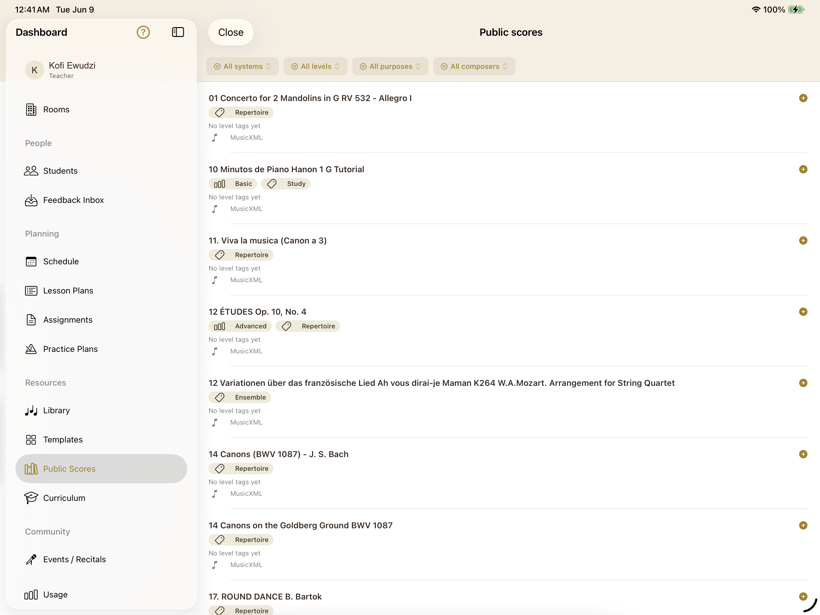
Public-domain classical scores, tagged by level, purpose, and composer.
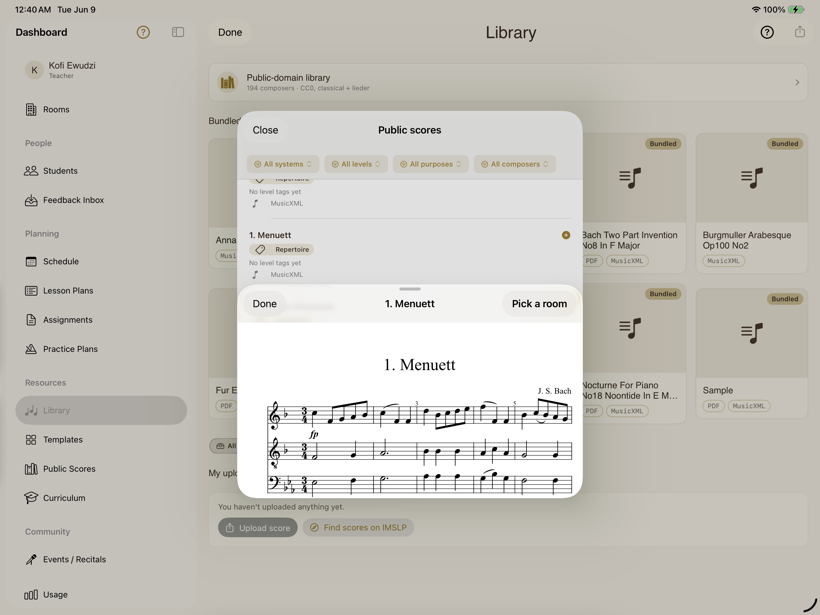
See the engraved score, then attach it straight to a room.
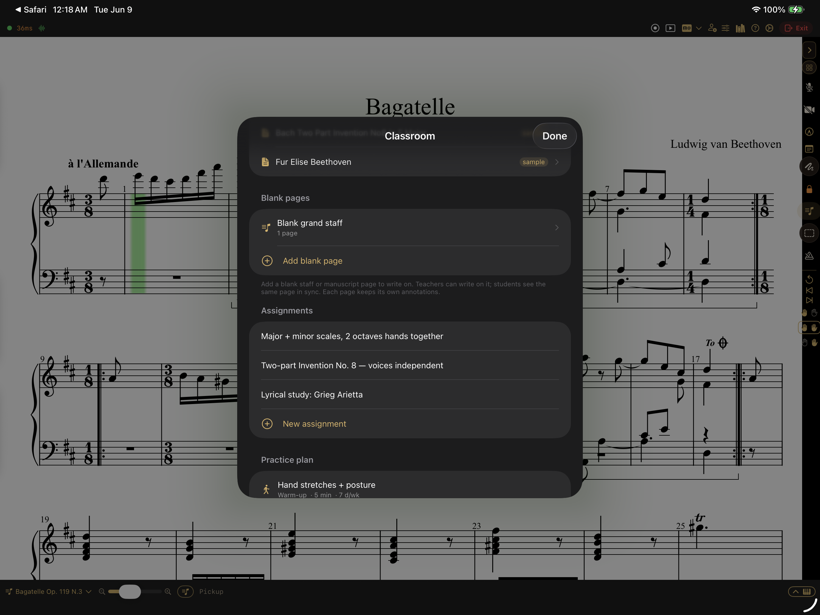
Shared blank staves to work something out by hand, together.
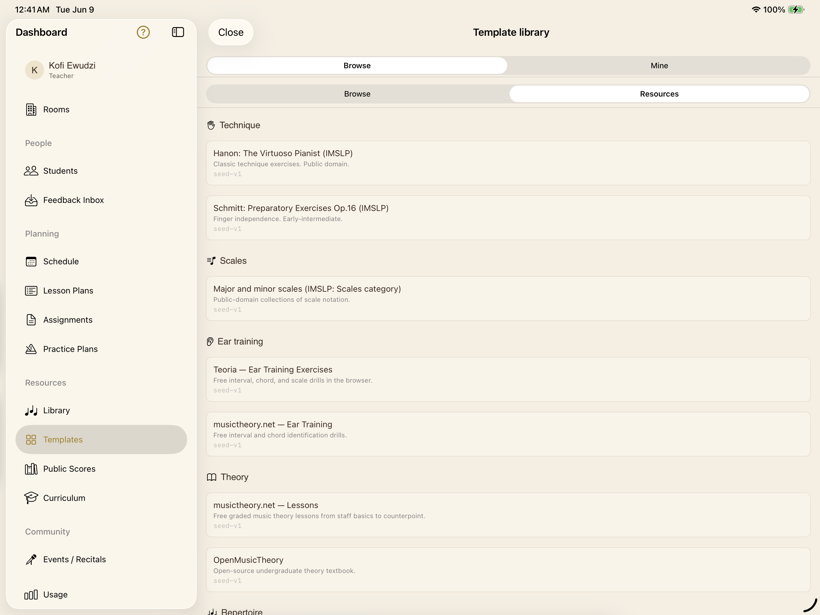
Curated links — Hanon, IMSLP, theory drills, and more — beside your scores.
Keep the term organised — lessons, plans, and reminders.
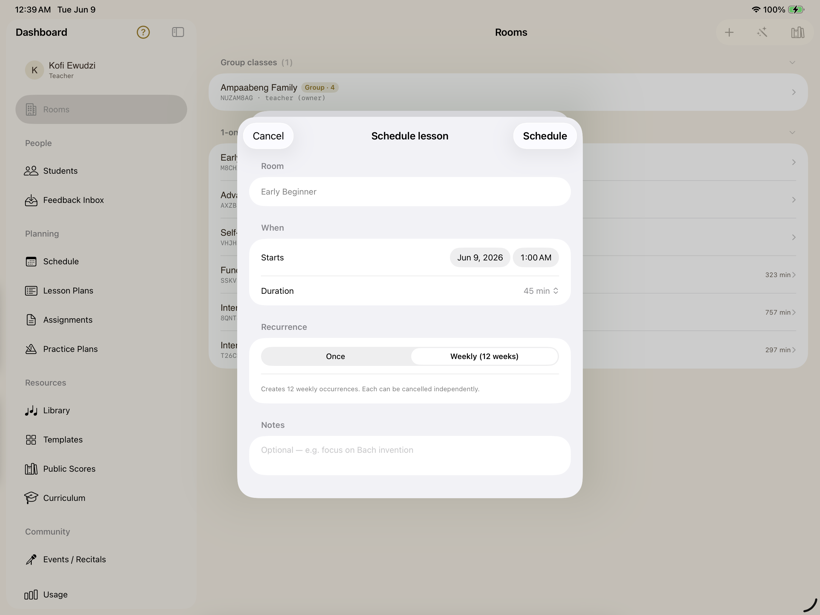
One-off or weekly (up to twelve weeks), with notes on each lesson.
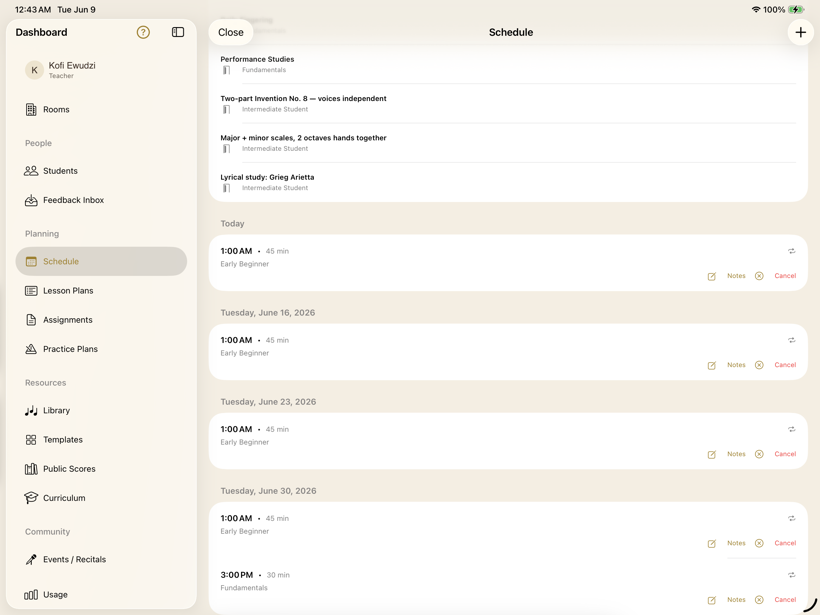
Upcoming lessons with notes — and cancellation when life happens.
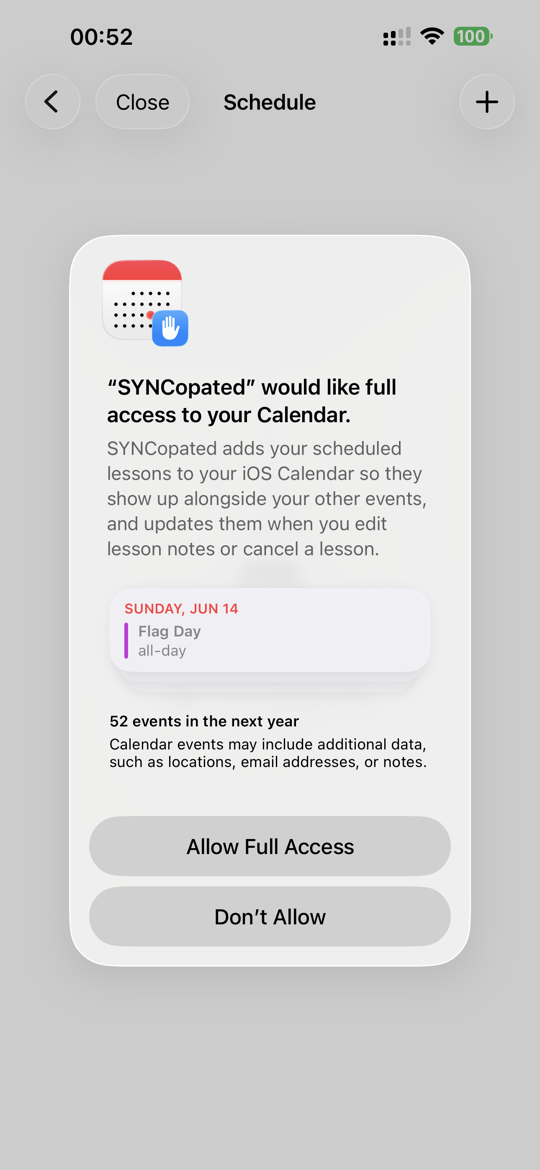
Scheduled lessons mirror to the iOS Calendar.
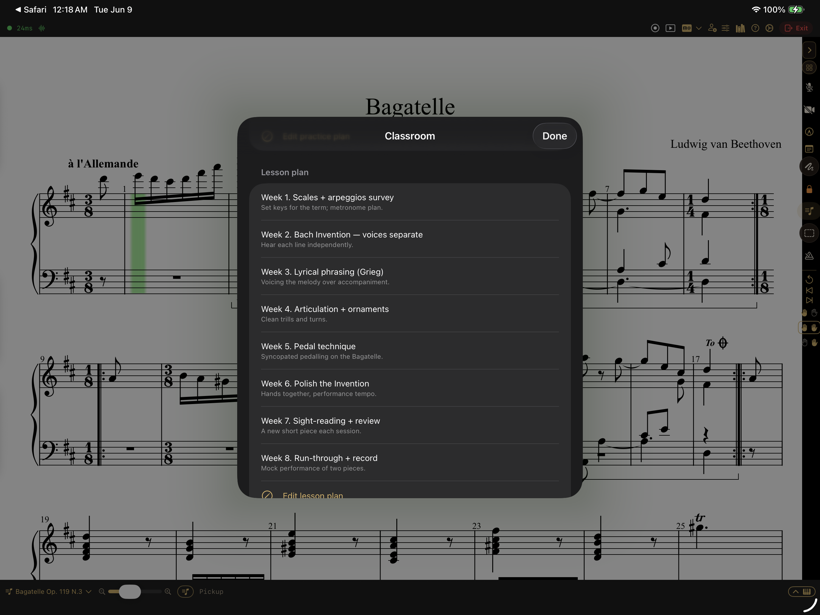
A week-by-week plan for each room.
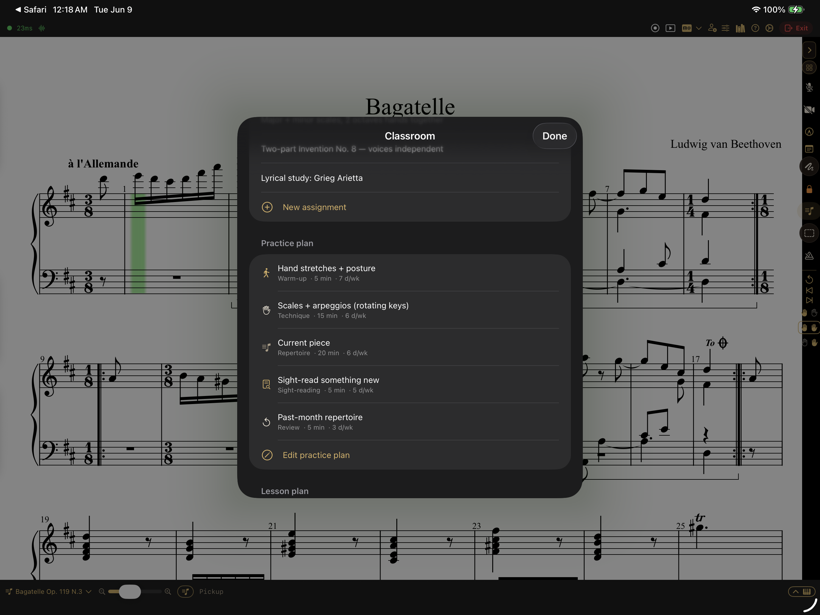
Warm-ups, technique, and repertoire — each with a target.
The work between lessons counts too — with structure, not just a metronome.
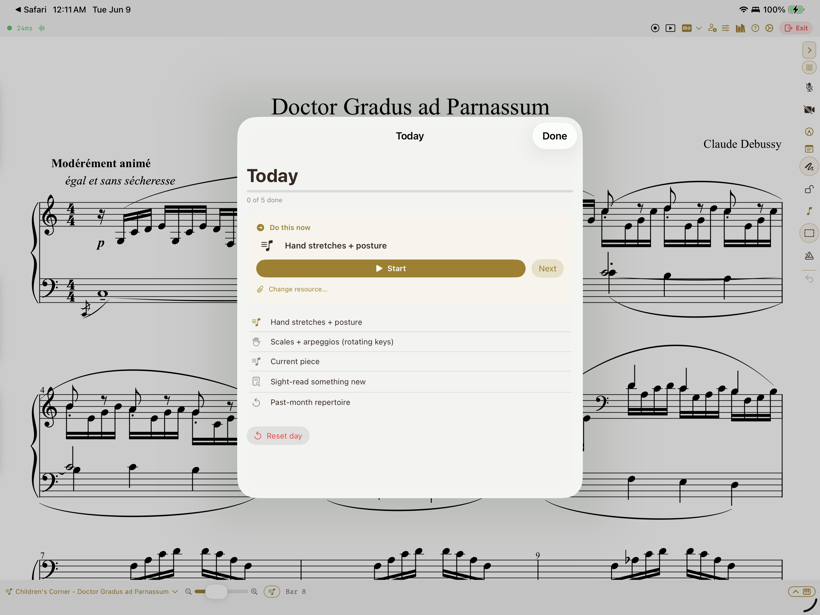
An ordered run-sheet that advances as each step is mastered.
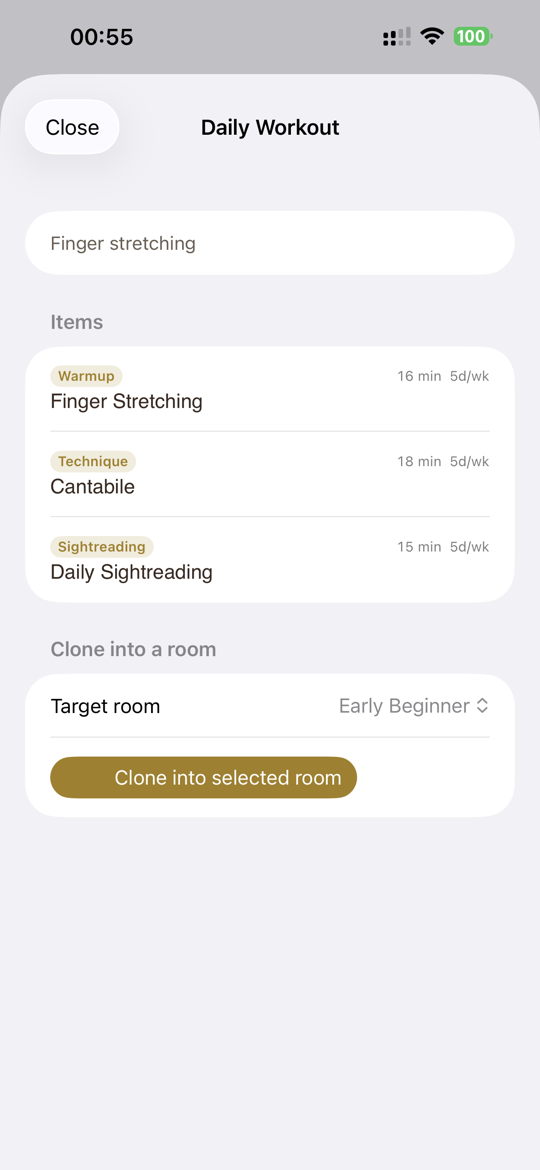
A daily workout the student follows on their own device.
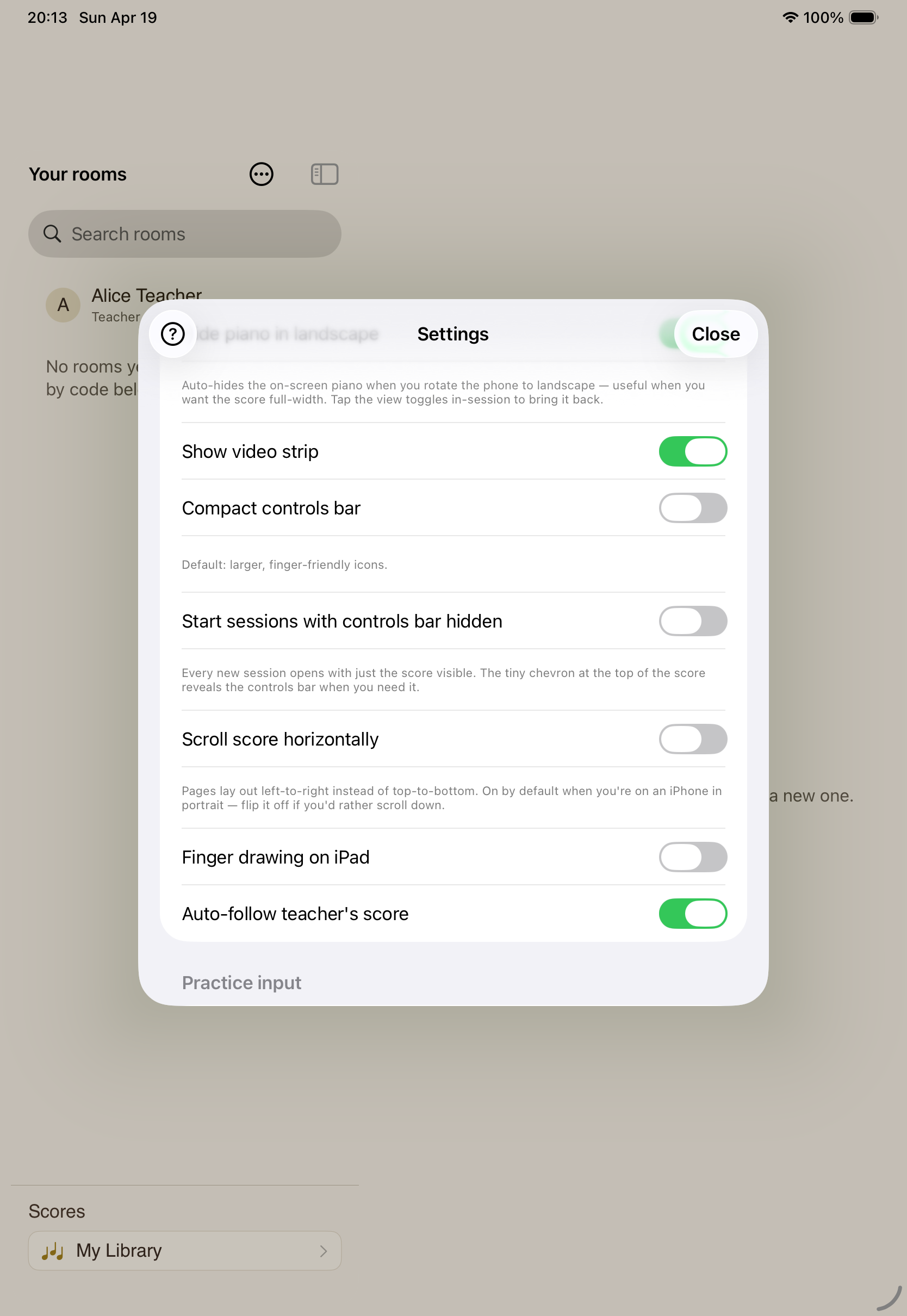
Microphone pitch detection follows an acoustic piano — no MIDI needed.
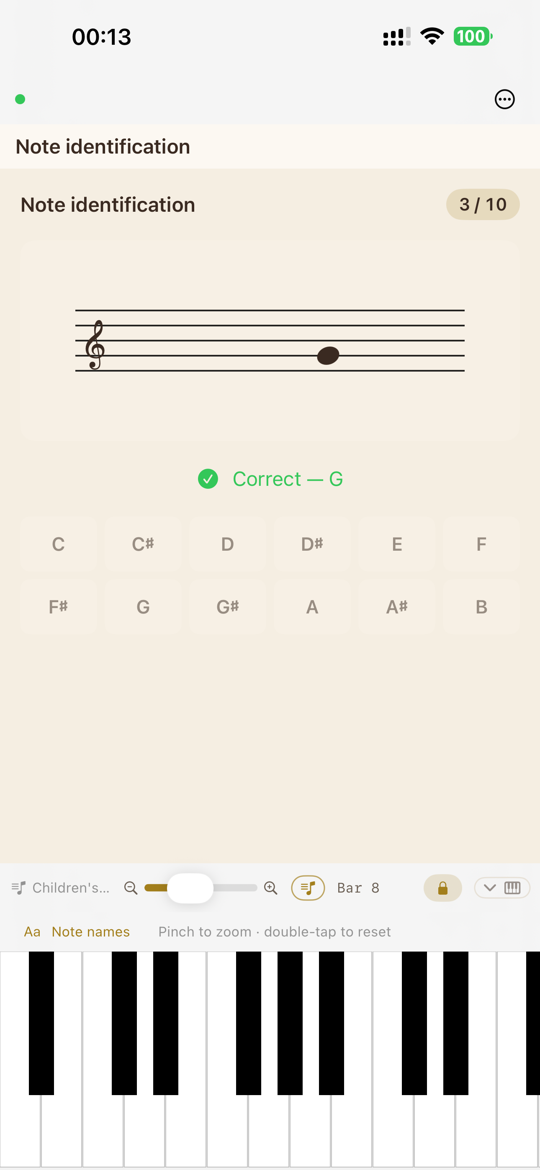
Name the note — on the keyboard or by tapping — graded as you go.
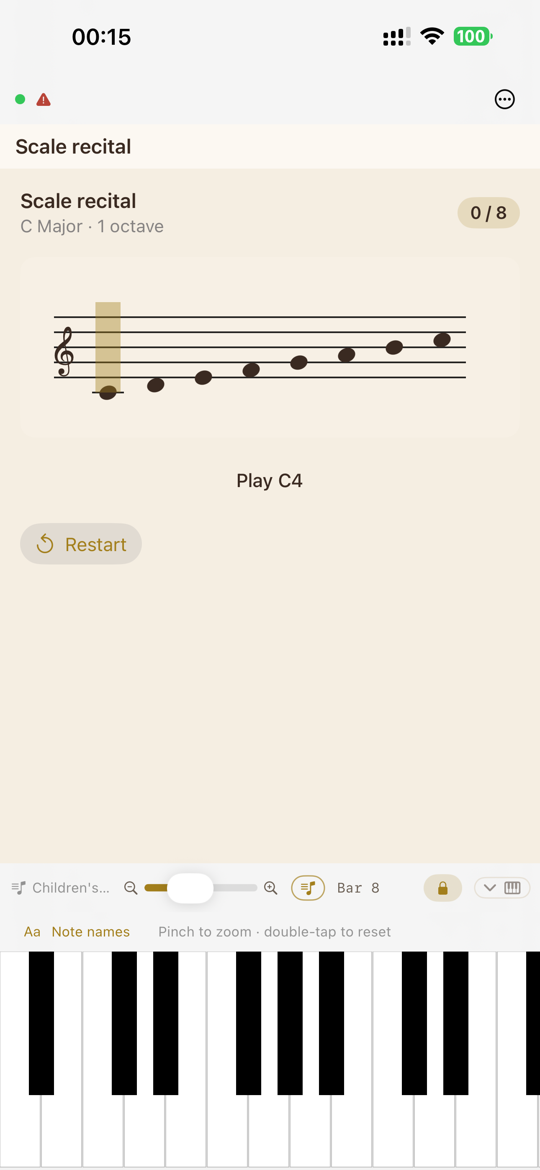
Play the scale; the cursor follows note by note.
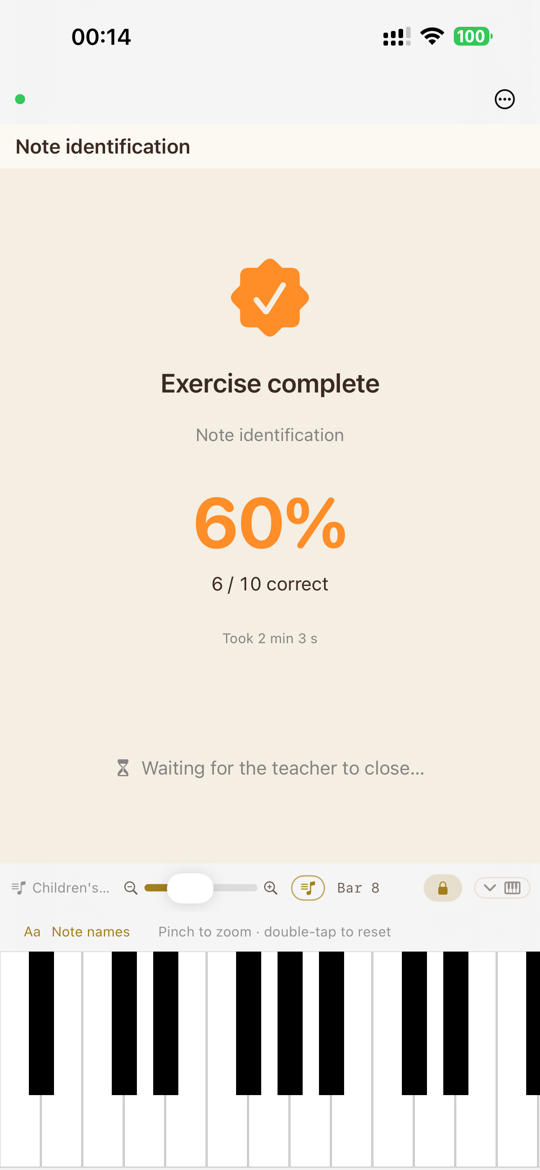
Every attempt is scored, so progress is plain to see.
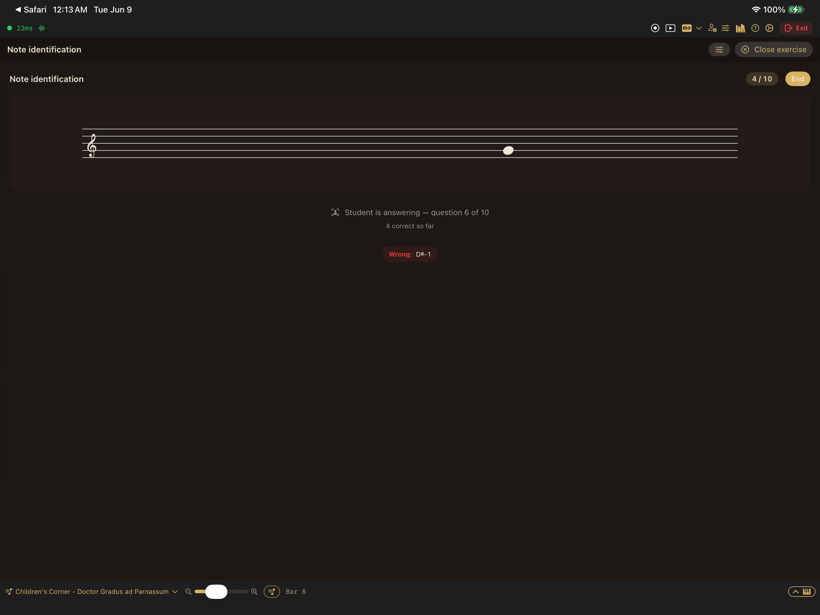
Watch a student's answers in real time during the lesson.
When you're ready to put it on stage.
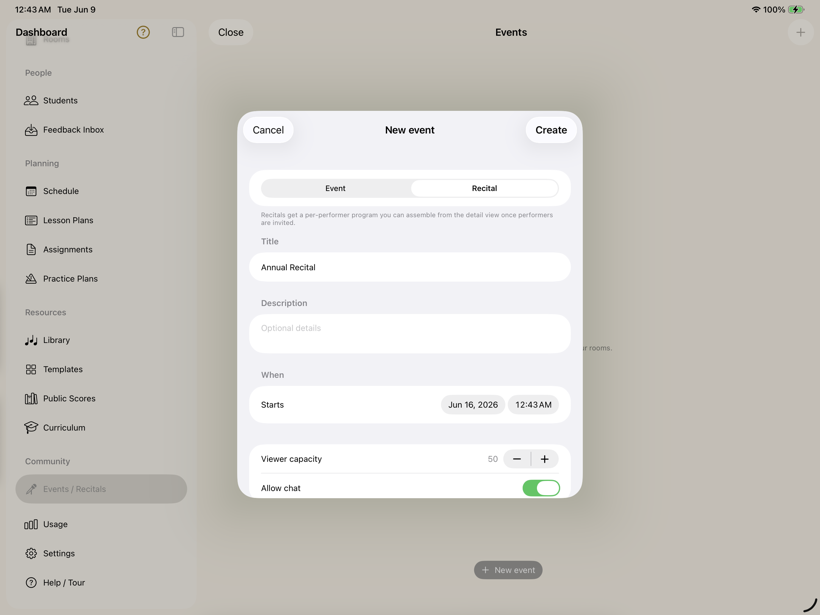
Stage a performance with performers, viewers, and optional chat.
The boring parts, done right.
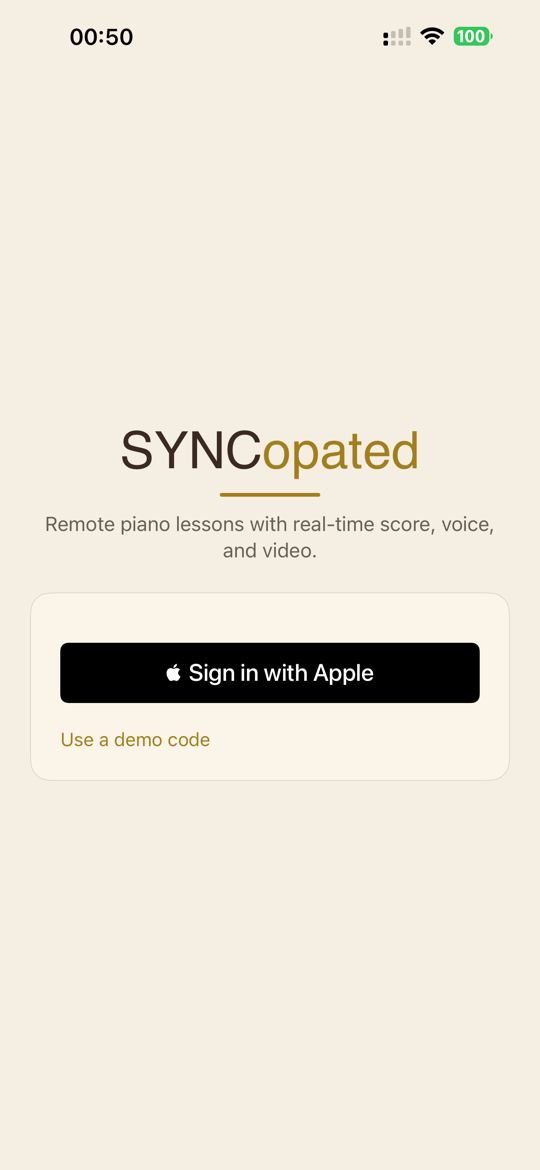
No passwords, and a private-email option for families that want one.
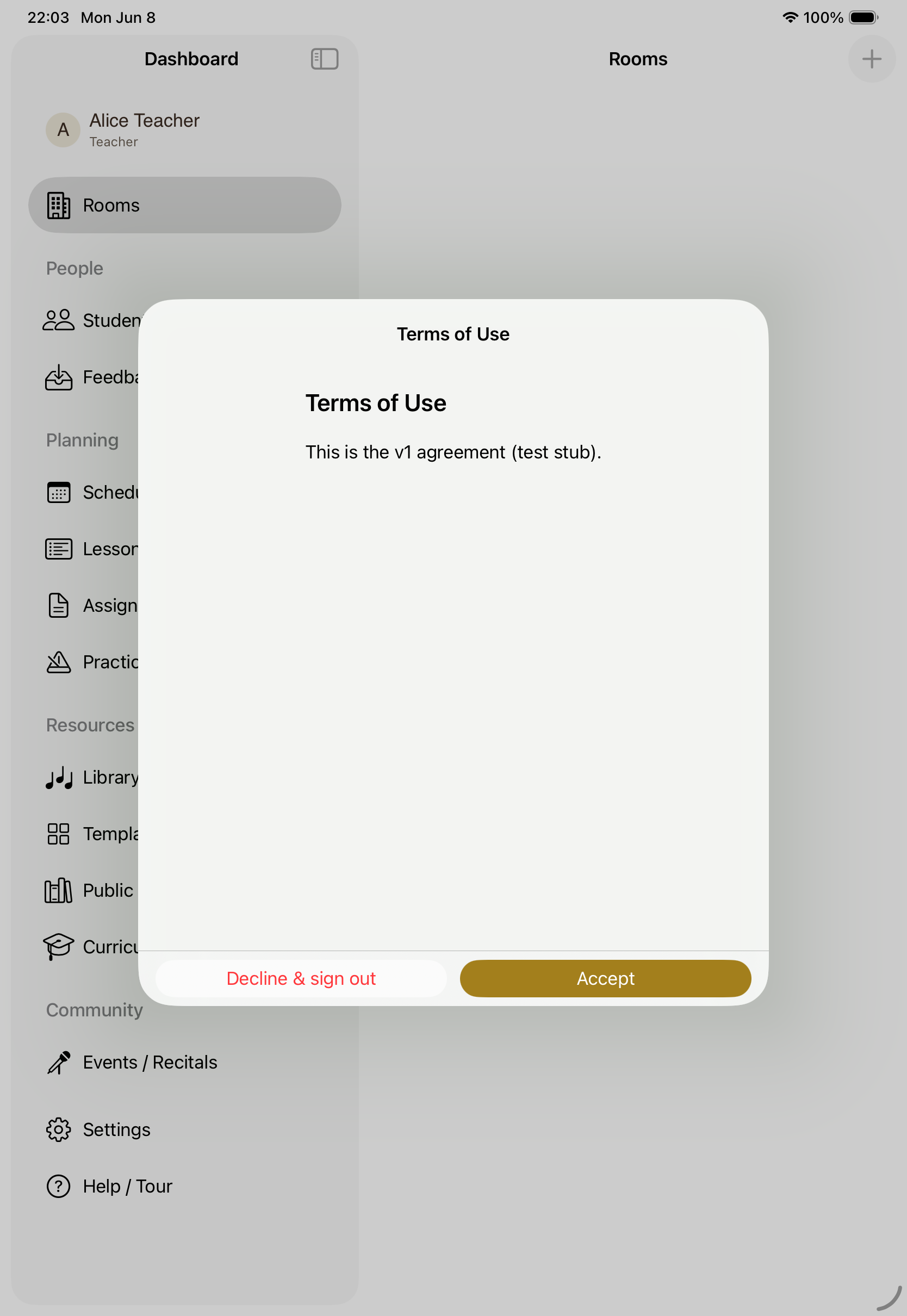
Versioned terms of use, accepted and recorded per user on first launch.
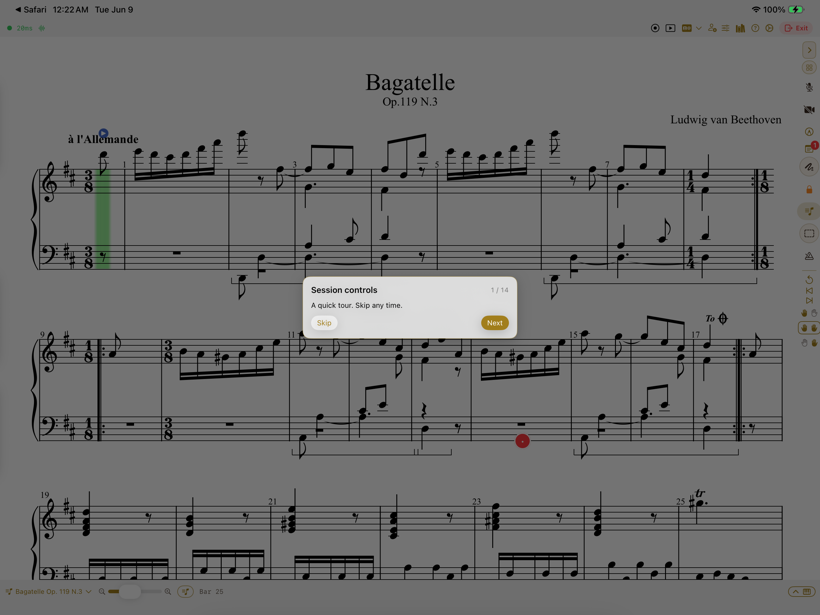
A spotlight tour points out each control in the room.
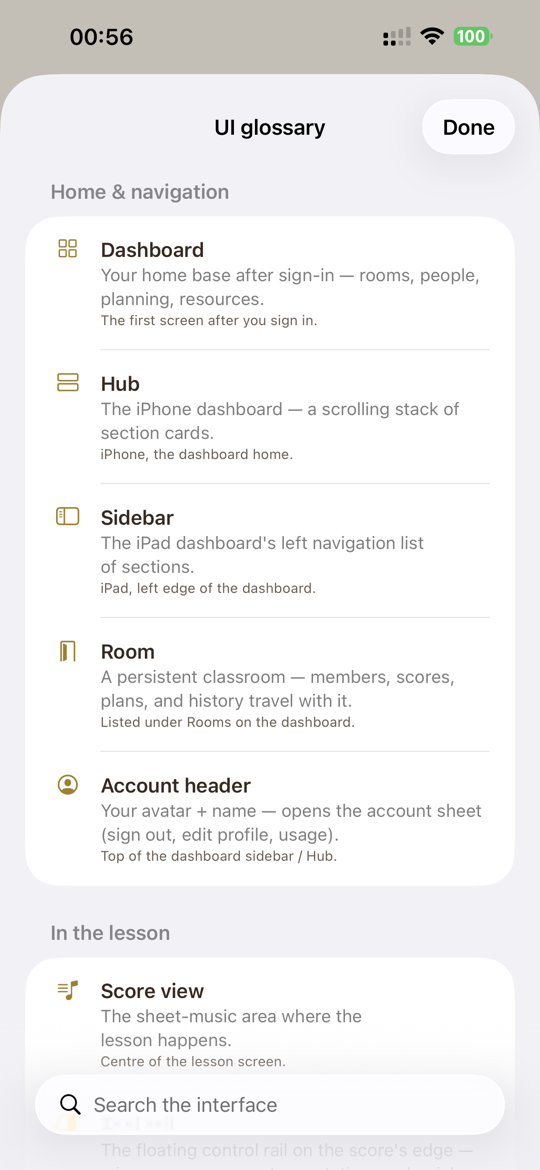
Every term and control, defined and searchable.
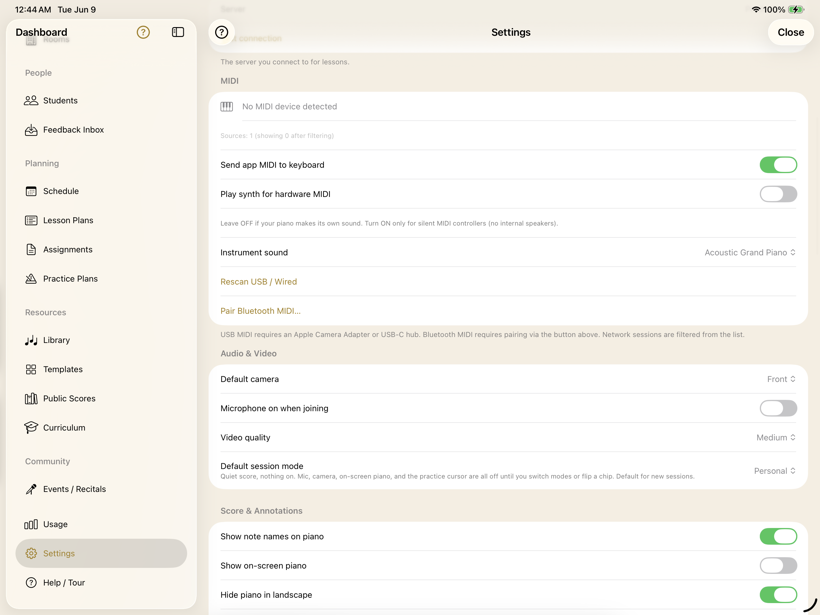
MIDI devices, audio and video defaults, note names, and the on-screen piano.
SYNCopated is on iPhone and iPad. Set up a room, invite a student, and run your next lesson on the same page.
Download on the App Store