Teacher controls
Lock the piano, tools, mic, or scrolling, and admit who joins. The room does what you say — made for young students.
 SYNCopated
Live online piano lessons
Live video, face to face. The same score on both screens, your annotations live on the page, and every control in the teacher's hands — built for teaching real piano, especially to young students.
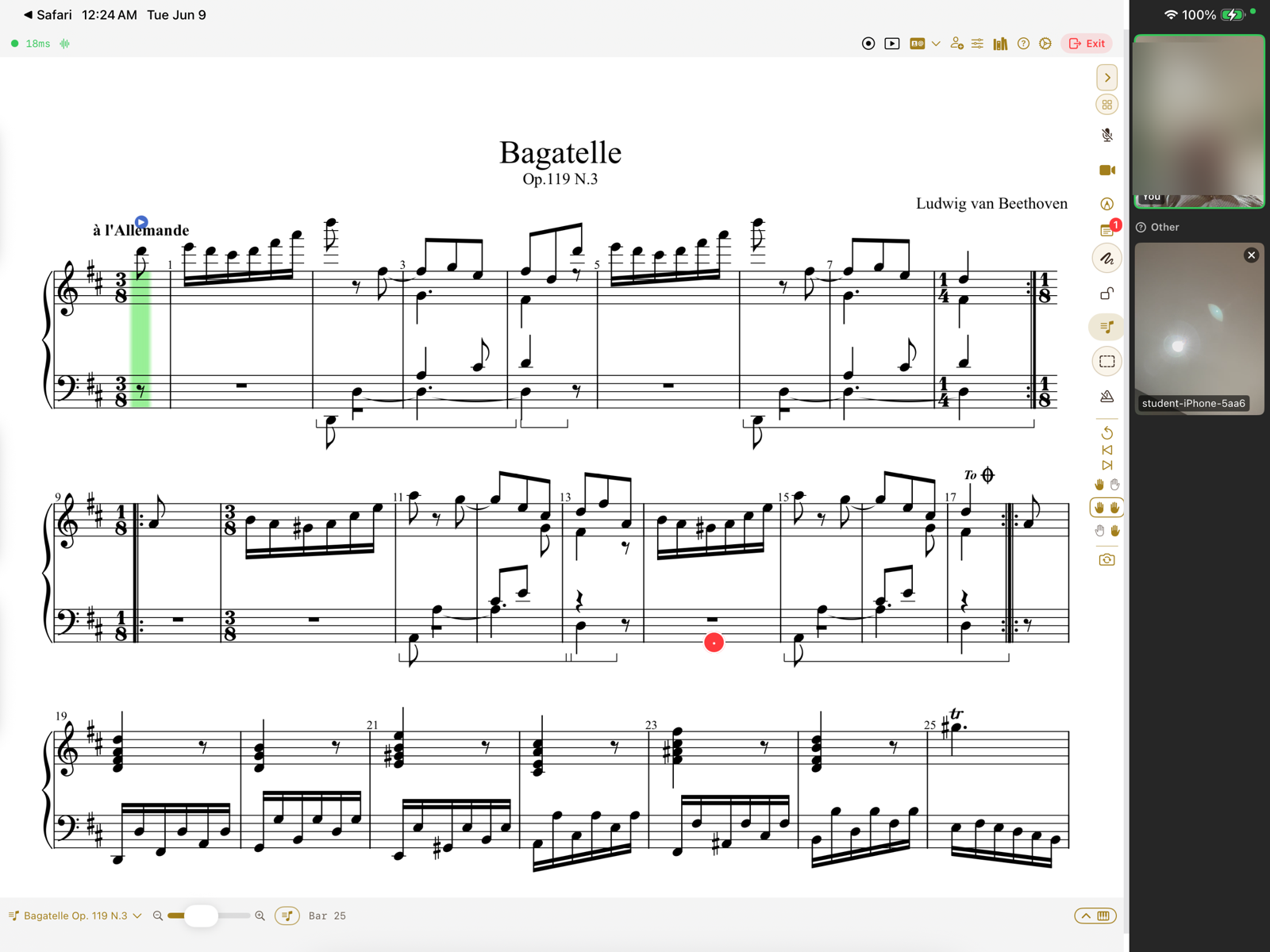
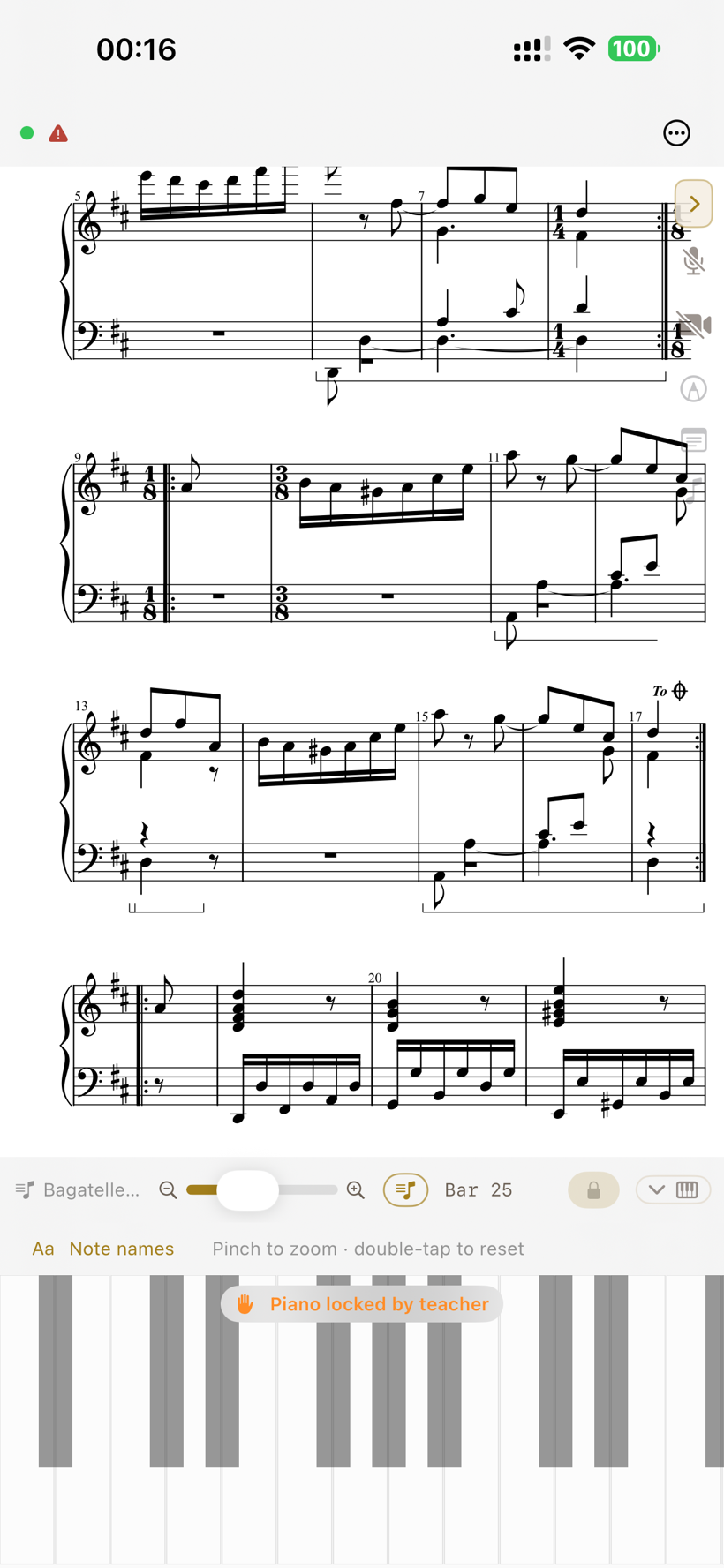
One lesson, both screens — the same score, live video, and the teacher in control. Real screenshots; the teacher's camera tile is blurred for privacy.
The things that actually make a remote piano lesson work — and that a generic call can't give you.
Lock the piano, tools, mic, or scrolling, and admit who joins. The room does what you say — made for young students.
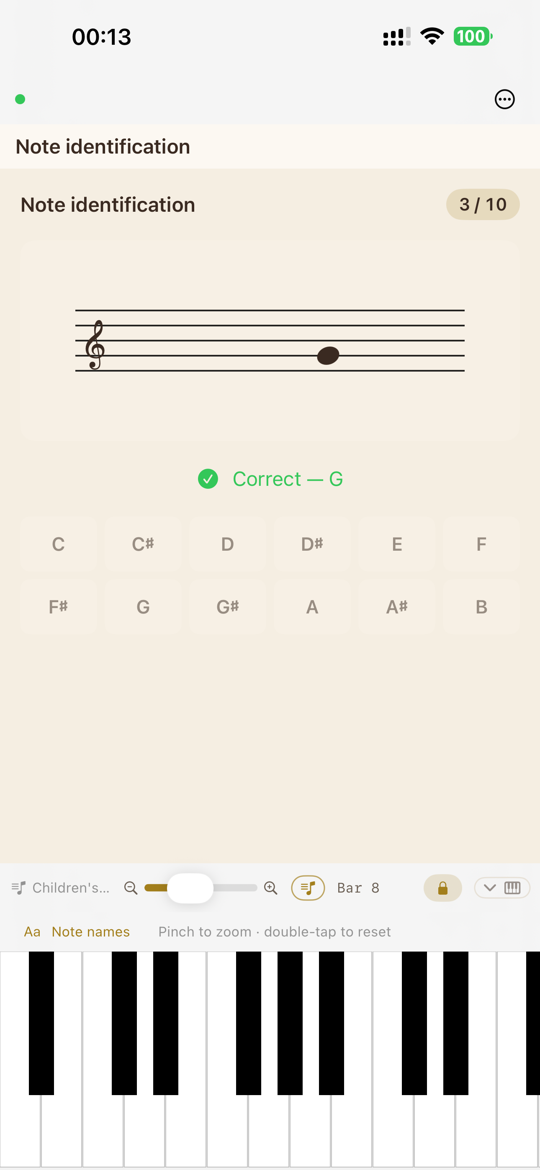
Notes, chords, scales, and ear training — answered on the keyboard and graded as they play, right in the lesson.
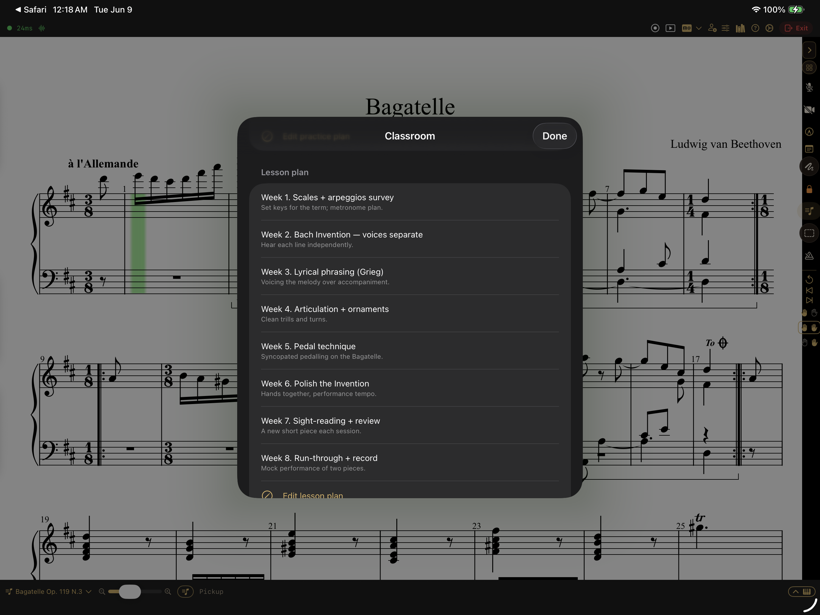
A week-by-week plan per student, plus a daily practice agenda that advances as each step is mastered.
Face-to-face video right beside the music — and extra phones can join as hands or overhead feeds.
Generic video calls leave the teacher pointing at a PDF in another window. SYNCopated brings the score, the sound, and the ink into a single shared space — so the lesson feels like sitting at the same bench.
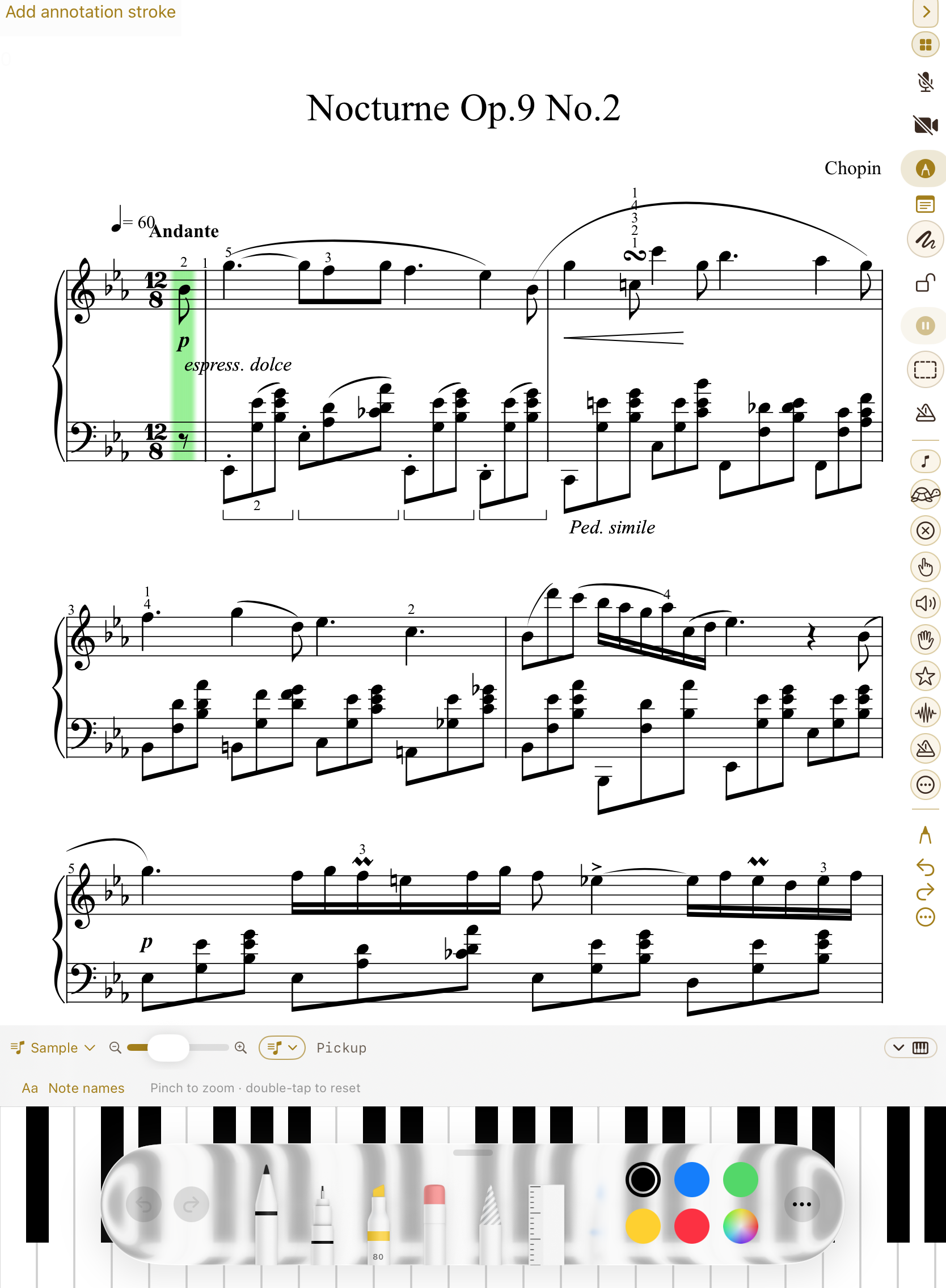
Screenshot · in-session score canvas
Open a MusicXML score and it's engraved live; open a PDF and it renders page by page. Scroll, turn a page, or jump to a measure and the student's iPad follows. A practice cursor advances note-by-note as the student plays it correctly, and a wrong note flashes so it's caught in the moment.
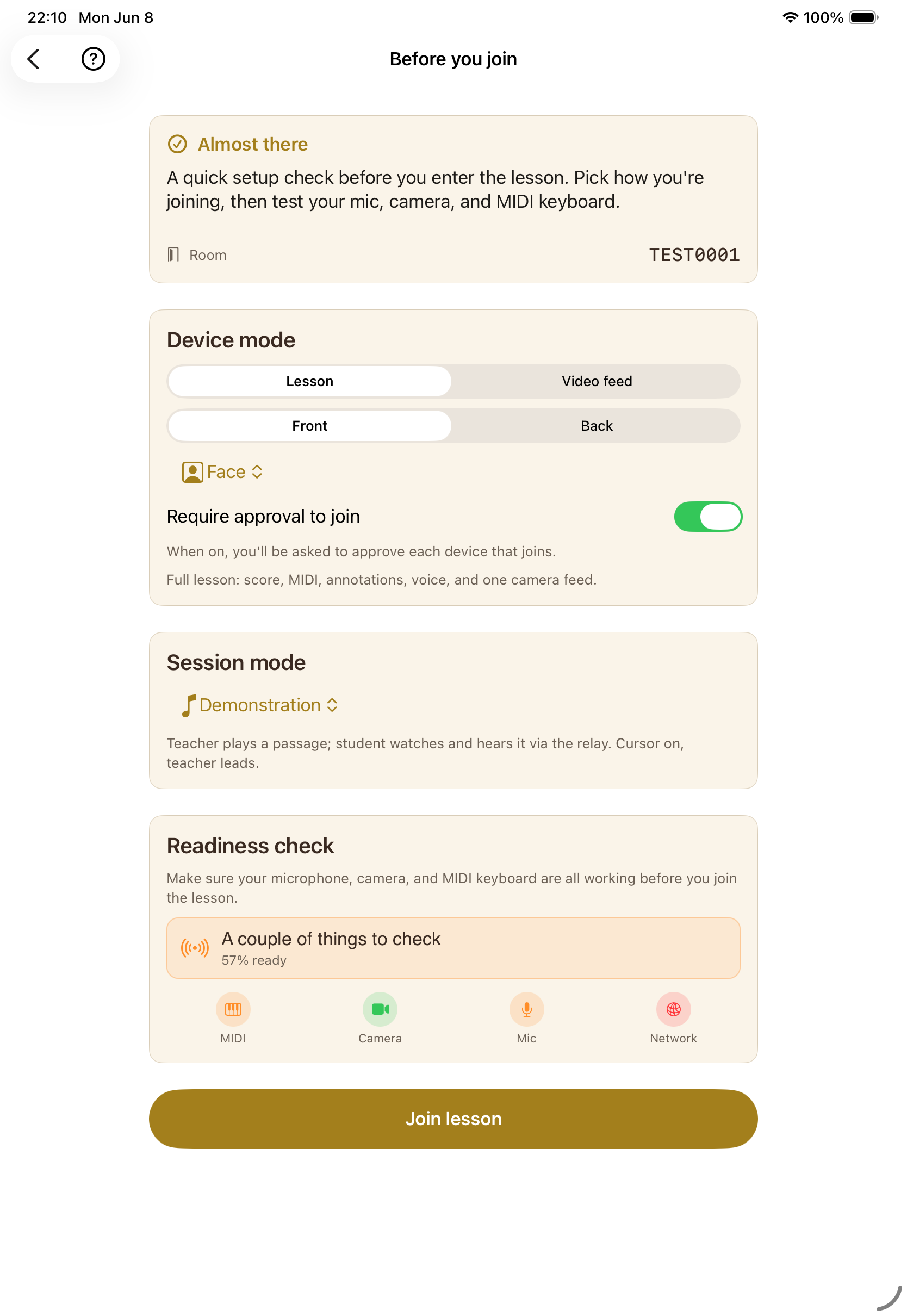
Screenshot · readiness check & session modes
With a MIDI keyboard on each end, a demonstrated phrase travels note-for-note to the student's instrument — the voicing and phrasing, not a compressed video of distant hands. Live voice and video sit alongside, with camera angles for face, hands, and the keyboard. A readiness check confirms mic, camera, MIDI, and network before anyone is on the spot.
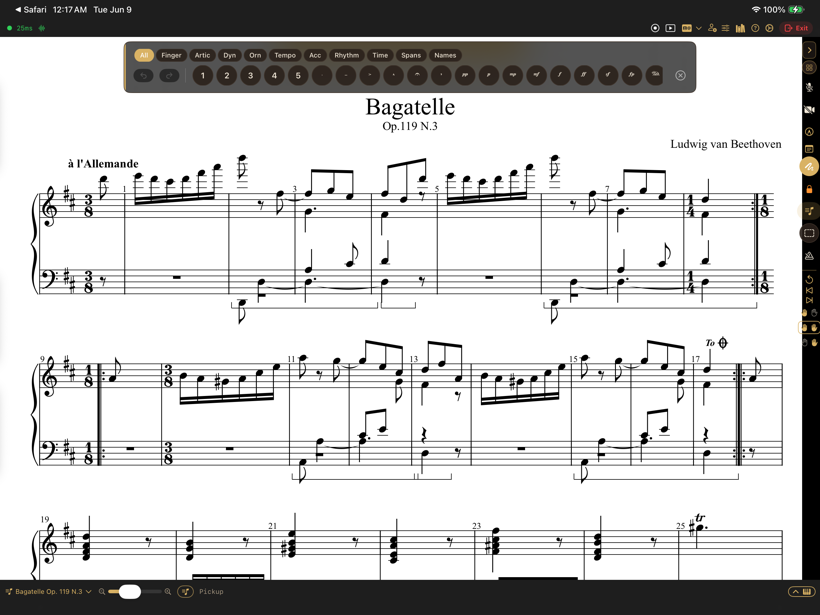
Teacher and student draw in their own colours, live — or drop fingerings, dynamics, slurs, and pedal lines from a music-notation palette.
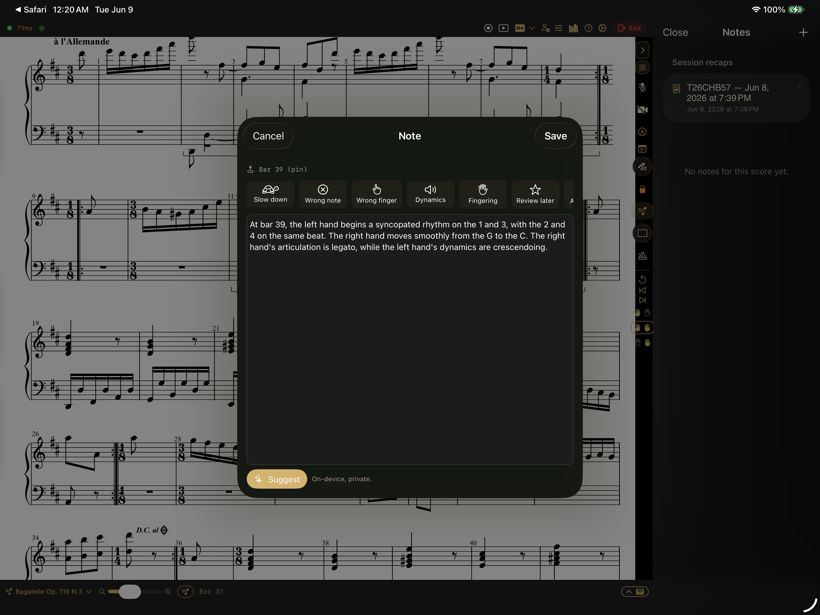
Pin a timestamped note to a measure. A quick-mark palette — slow down, wrong note, fingering, dynamics — drops feedback without breaking the flow.
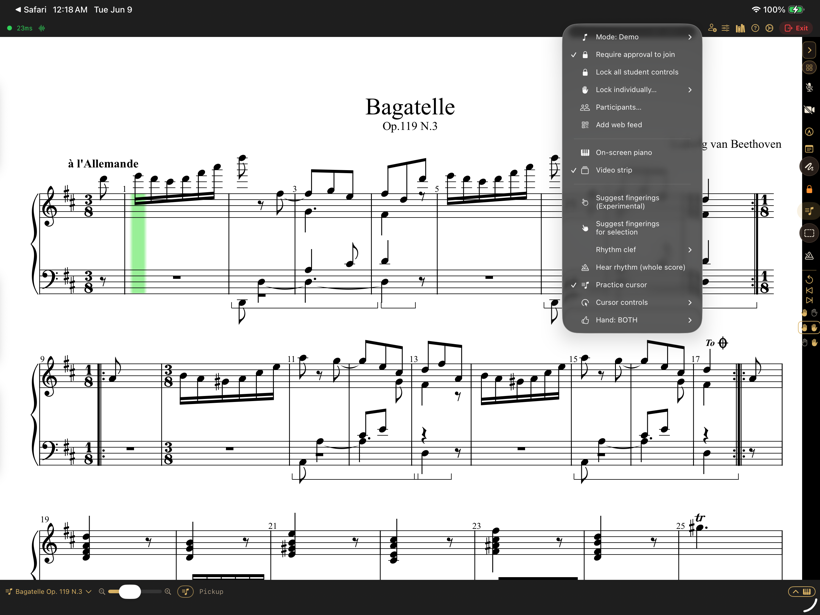
Demonstration, instruction, feedback, performance, solo practice — each sets sensible audio, video, cursor, and MIDI defaults for the moment.
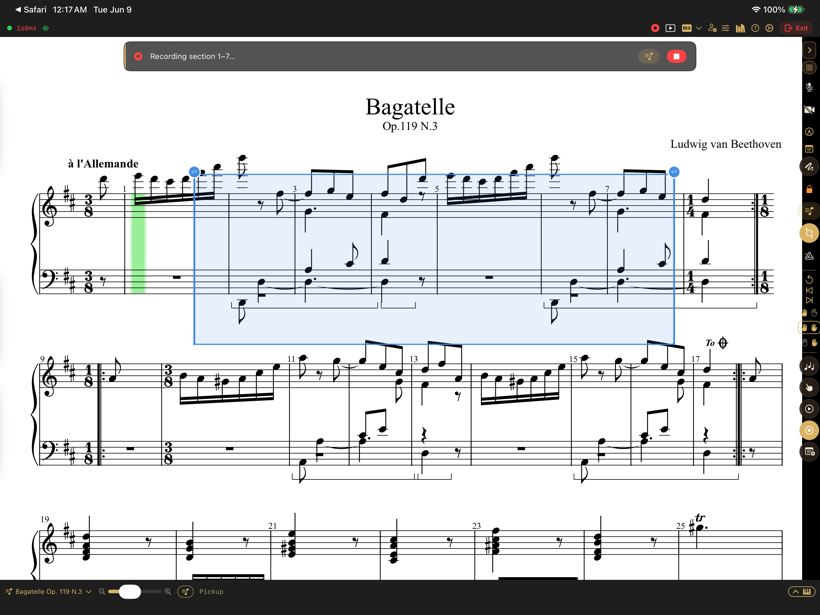
Play back the score with repeats and ornaments, or record a short MIDI demo onto a passage for the student to replay — at full speed or slowed down.
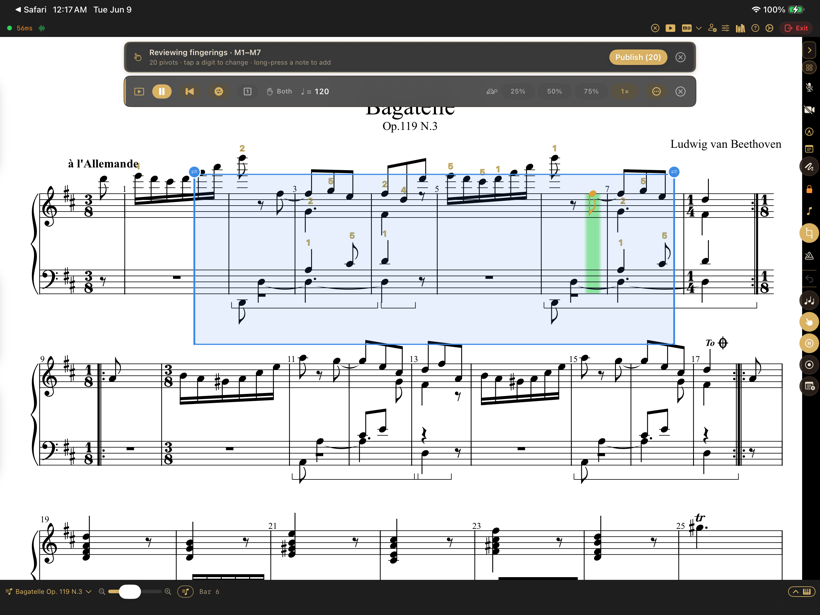
An on-device engine proposes fingerings for a passage — pivots, thumb crossings, leaps — for the teacher to accept or edit right on the score.
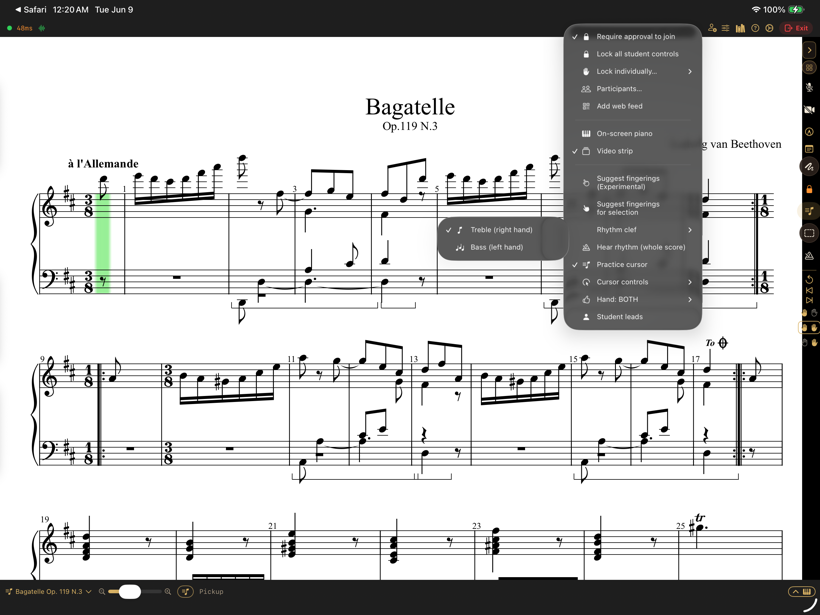
The cursor advances as the student plays each note correctly, and a wrong note flashes — with a tap to choose which hand leads.
A room per student that stays put between lessons. Plans, assignments, and a roster that spans every student you teach — without spreadsheets or a second app.
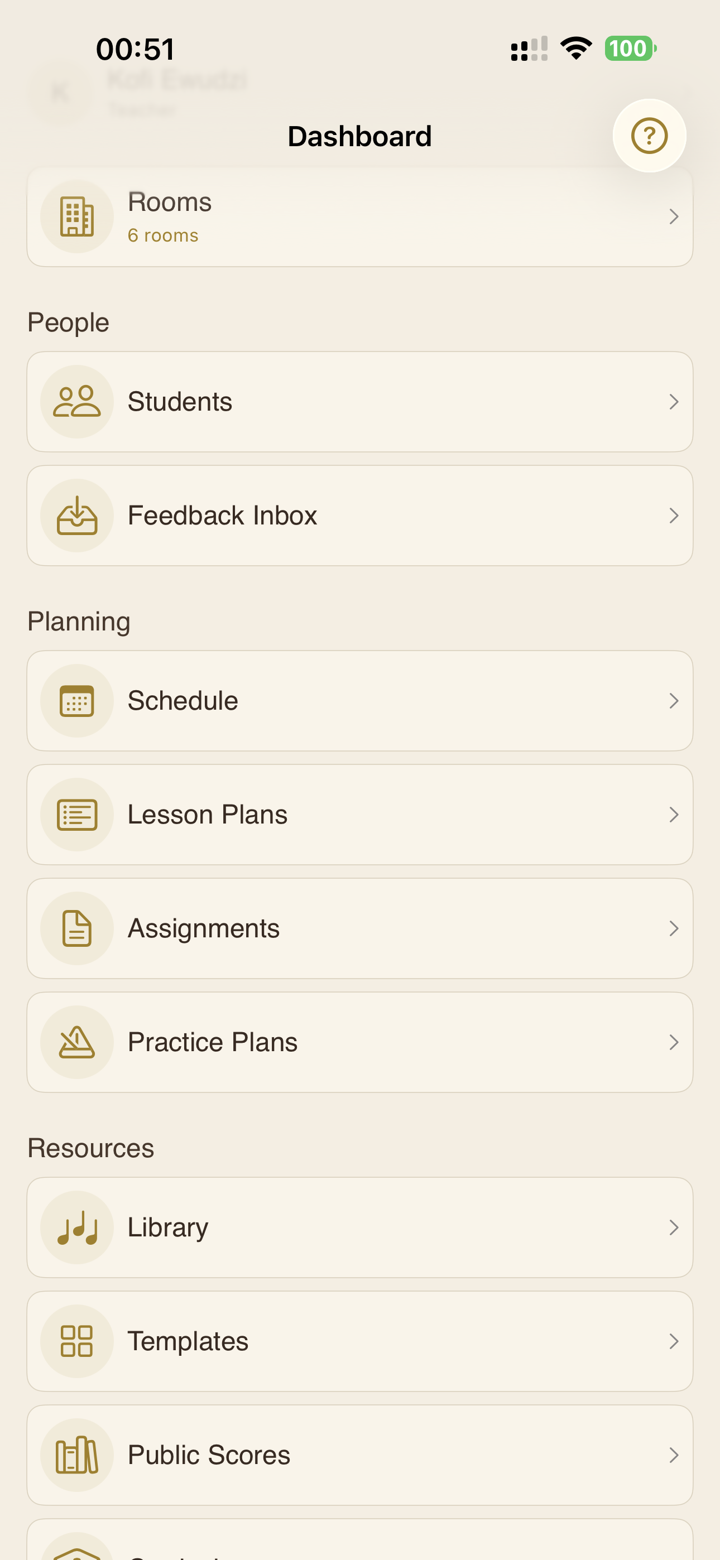
Rooms, people, planning, and resources in a single sidebar. Jump from a student to their room, their plan, or their progress in a tap.
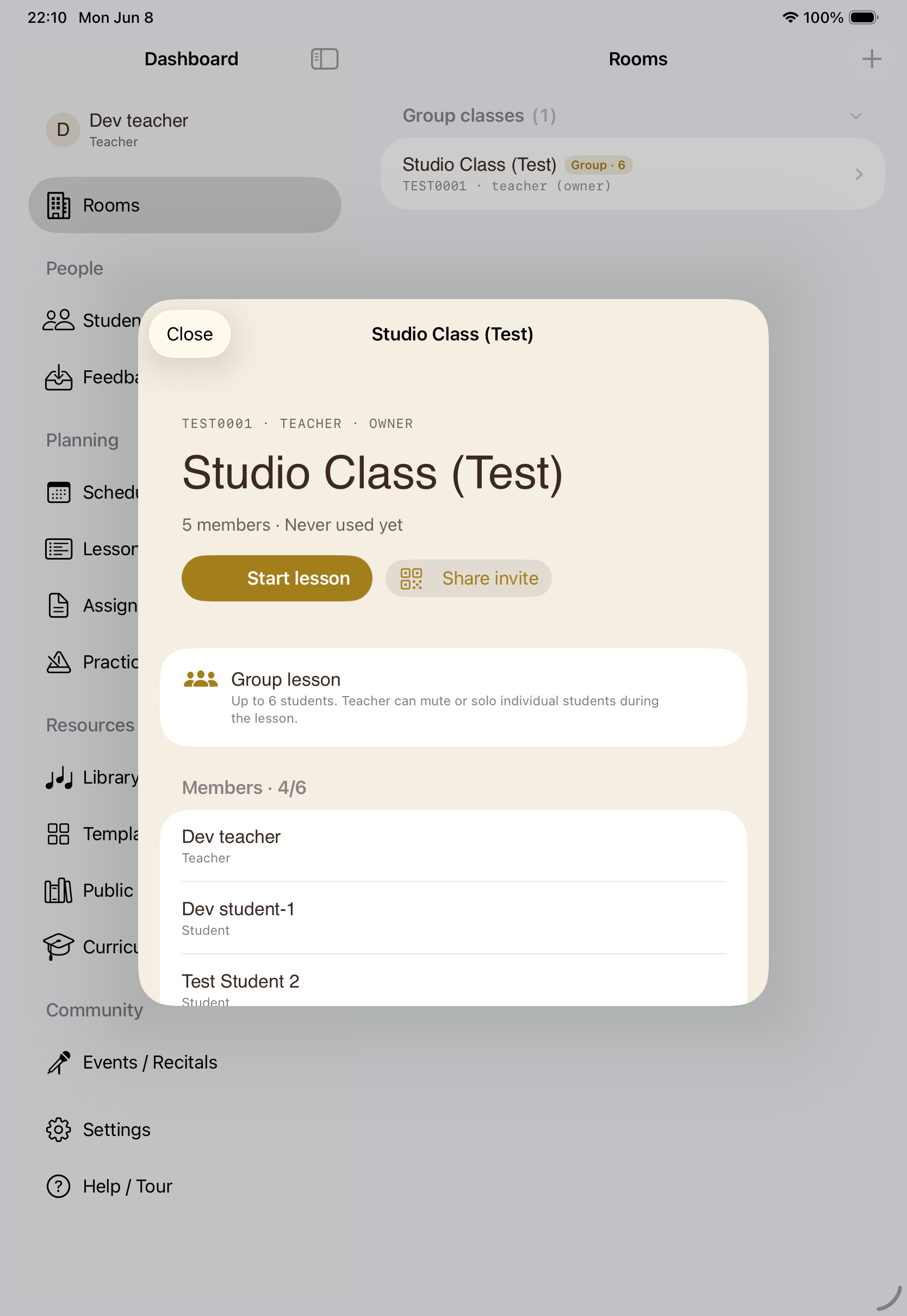
Private rooms, or group classes where the teacher can mute or solo each student. Invite once — members stay in the room across every lesson.
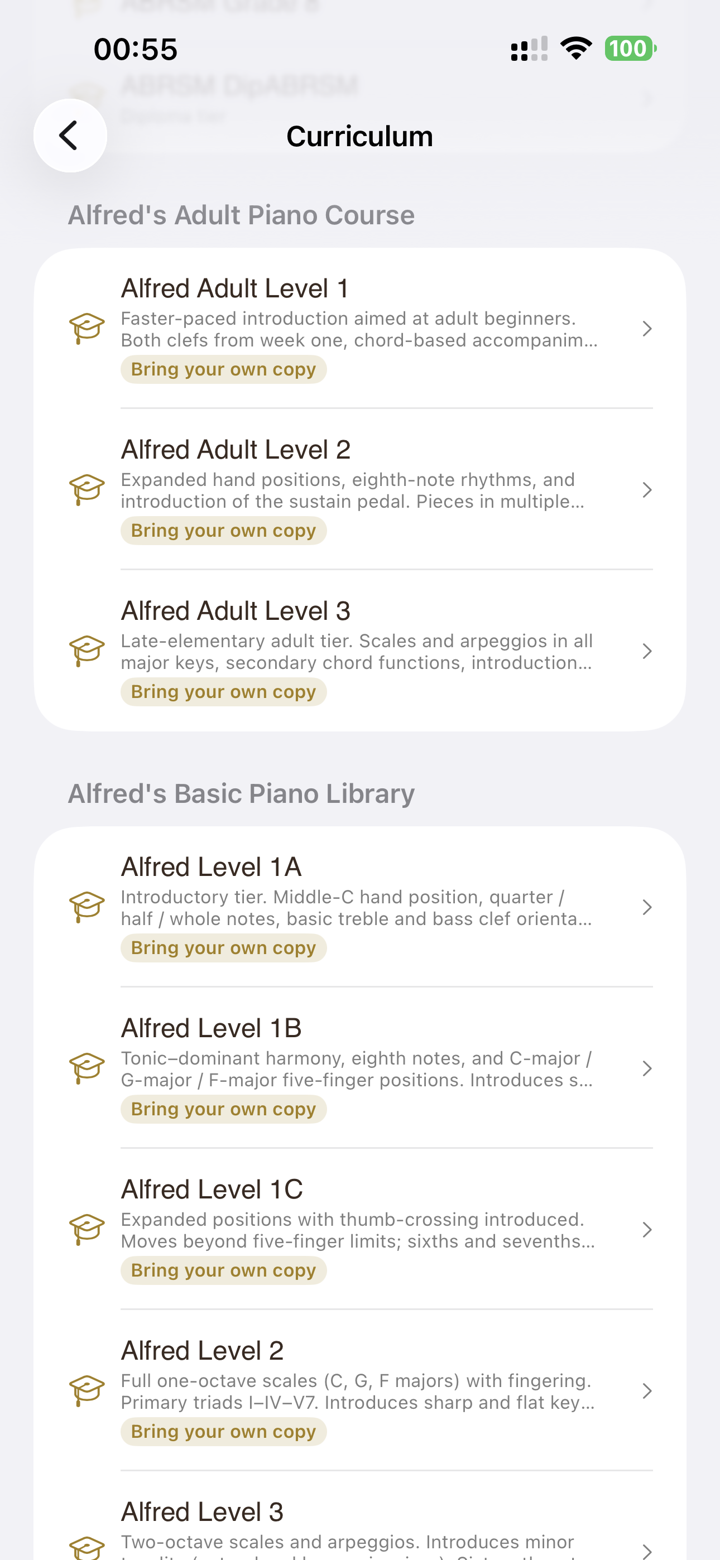
Save any room as a template, or clone a curriculum-tagged starter pack. Scores, assignments, lesson plan, and practice routine come along for the ride.
One-off or weekly lessons that mirror to the iOS Calendar, week-by-week lesson plans, and assignments with automatic reminders before they're due.
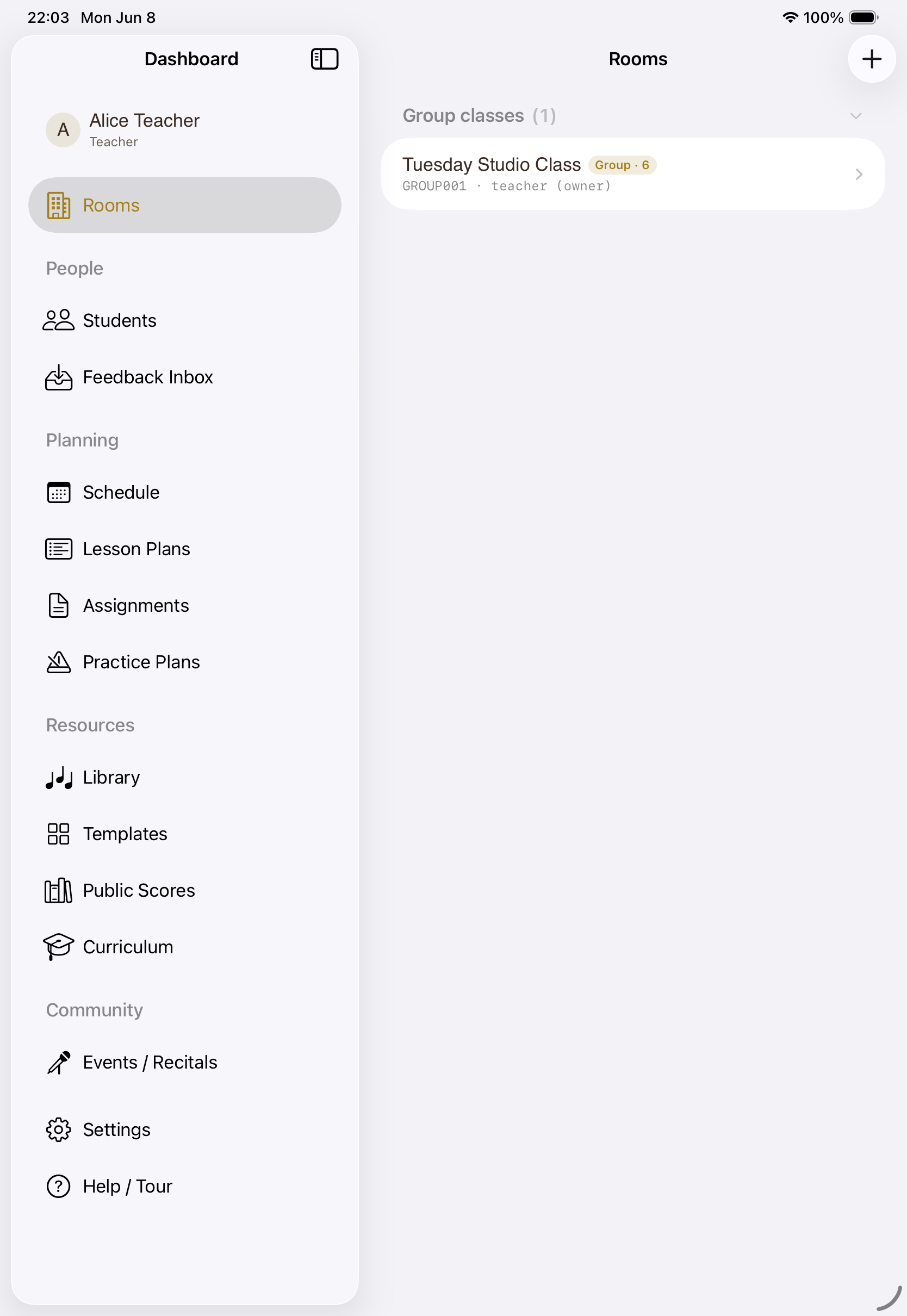
A cross-room roster of every student, practice progress at a glance, a feedback inbox for submitted recordings, and monthly usage so nothing is a surprise.
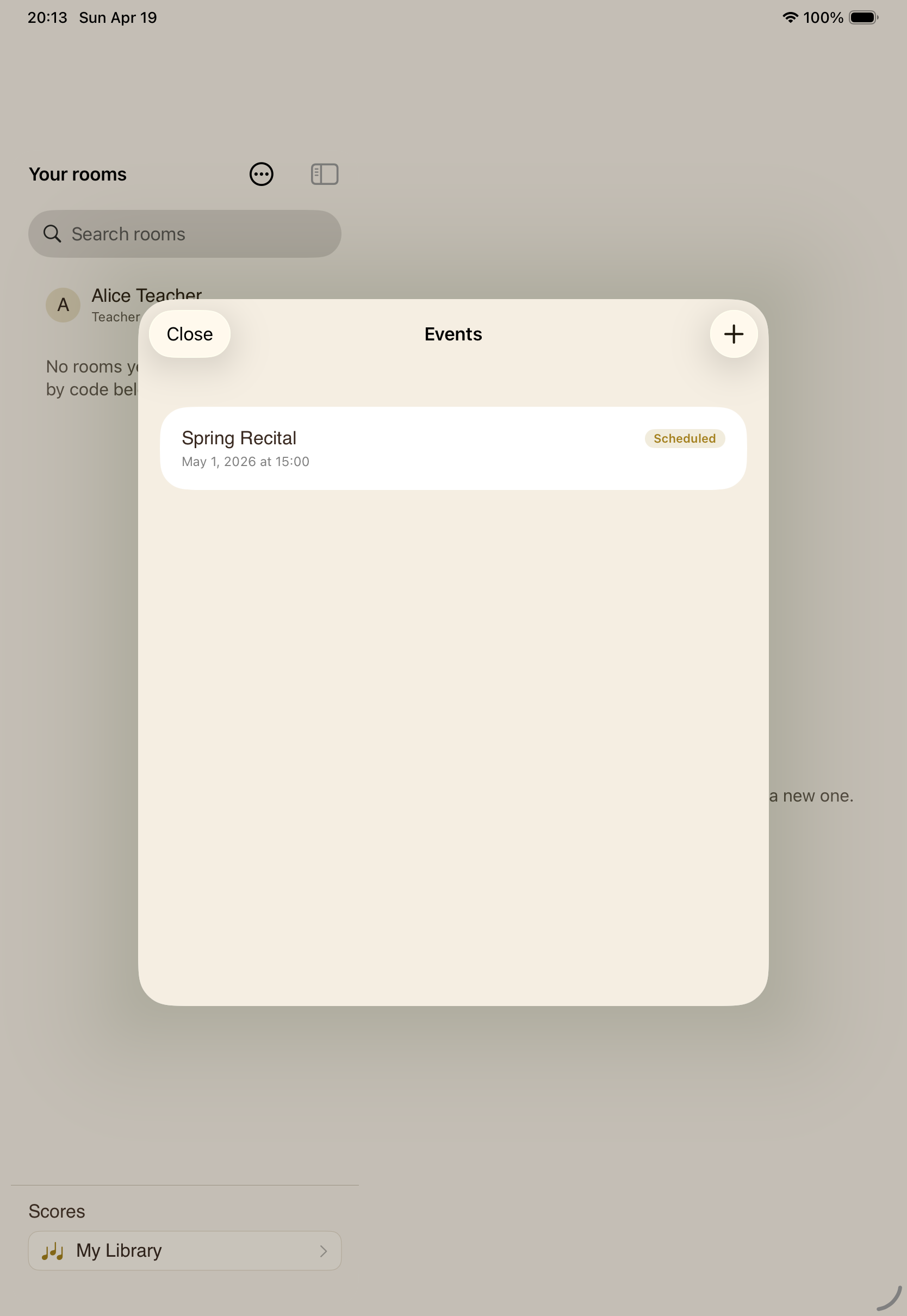
Stage a performance with a performer-and-viewer roster and a shared stage — the same room tools, scaled up for an audience.
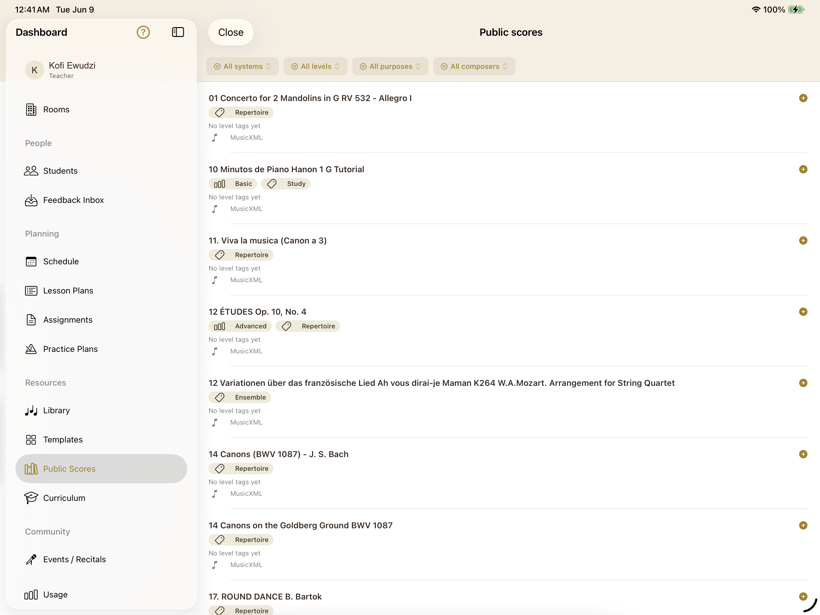
Bring your own PDFs and MusicXML — upload, organise, and attach only what a room's students should see. Or pull from a hand-curated collection of public-domain classical scores, already tagged and ready to teach from or practise with.
When the student is seven, the teacher needs to drive. SYNCopated puts the whole room under the teacher's hand — gently, and only as much as the moment calls for.
Every device asks to join; the teacher admits it. A deliberate door, not an auto-join — and demo slots for trying the app with a family before anyone signs up.
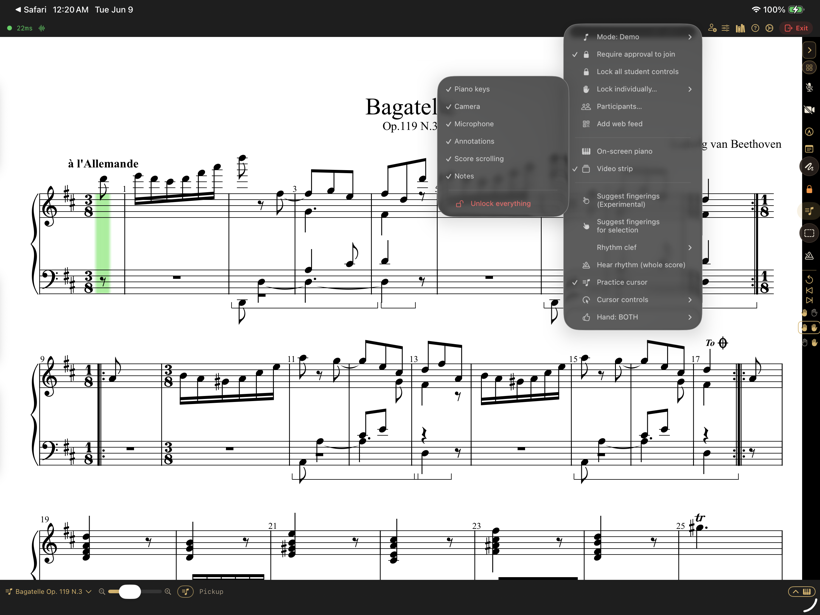
Lock the piano, camera, mic, annotations, scrolling, or notes — each on its own, or all at once. Keep a wandering seven-year-old on the same page as you, literally.
Session modes set safe defaults so a class doesn't dissolve into a dozen open mics. Per-student notes and levels are opt-in, off until you turn them on.
A student can keep working when the teacher logs off — with structure, not just a metronome.
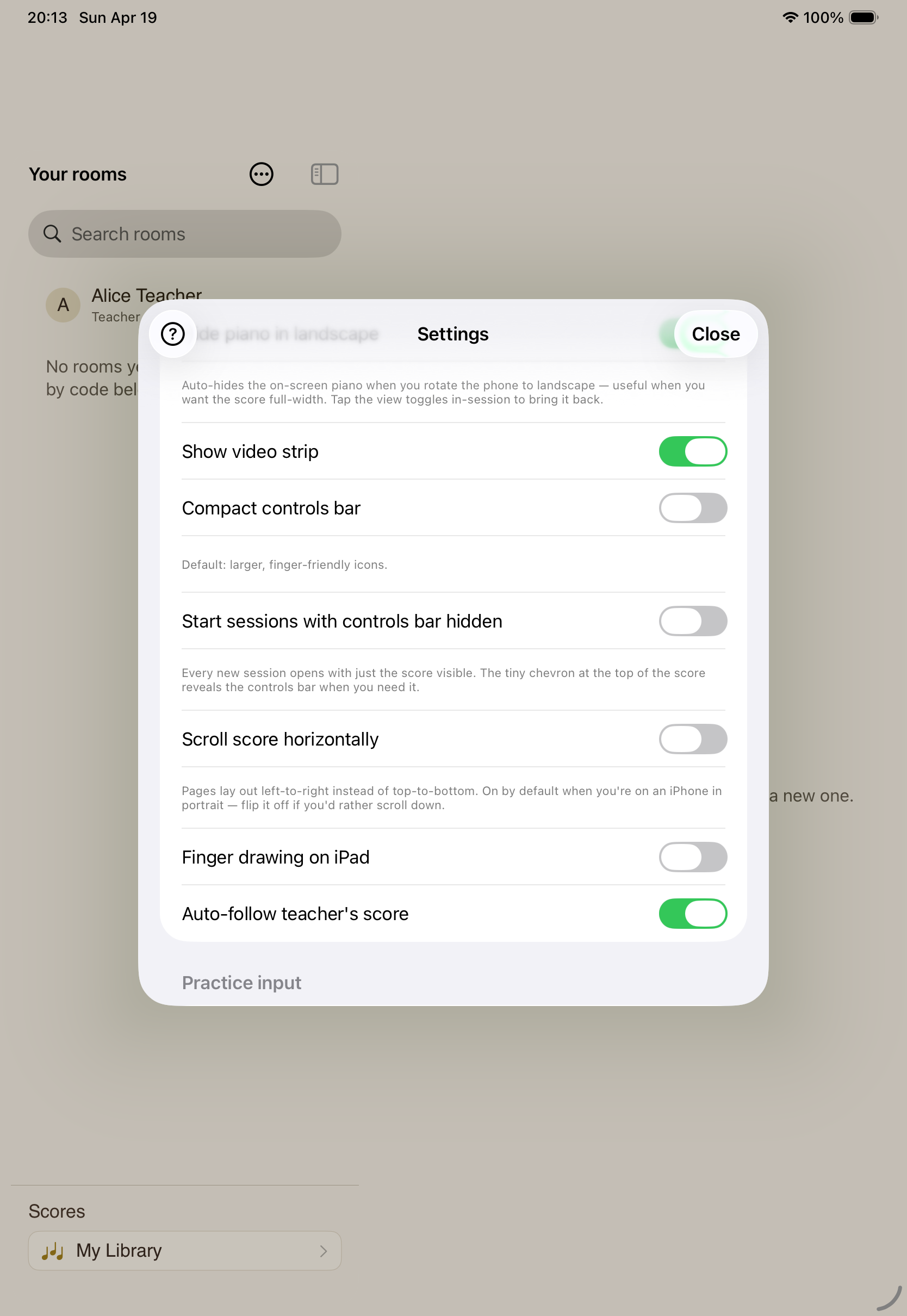
Microphone pitch detection lets the cursor follow an acoustic piano through the iPad's mic — so practice between lessons doesn't need any extra hardware.
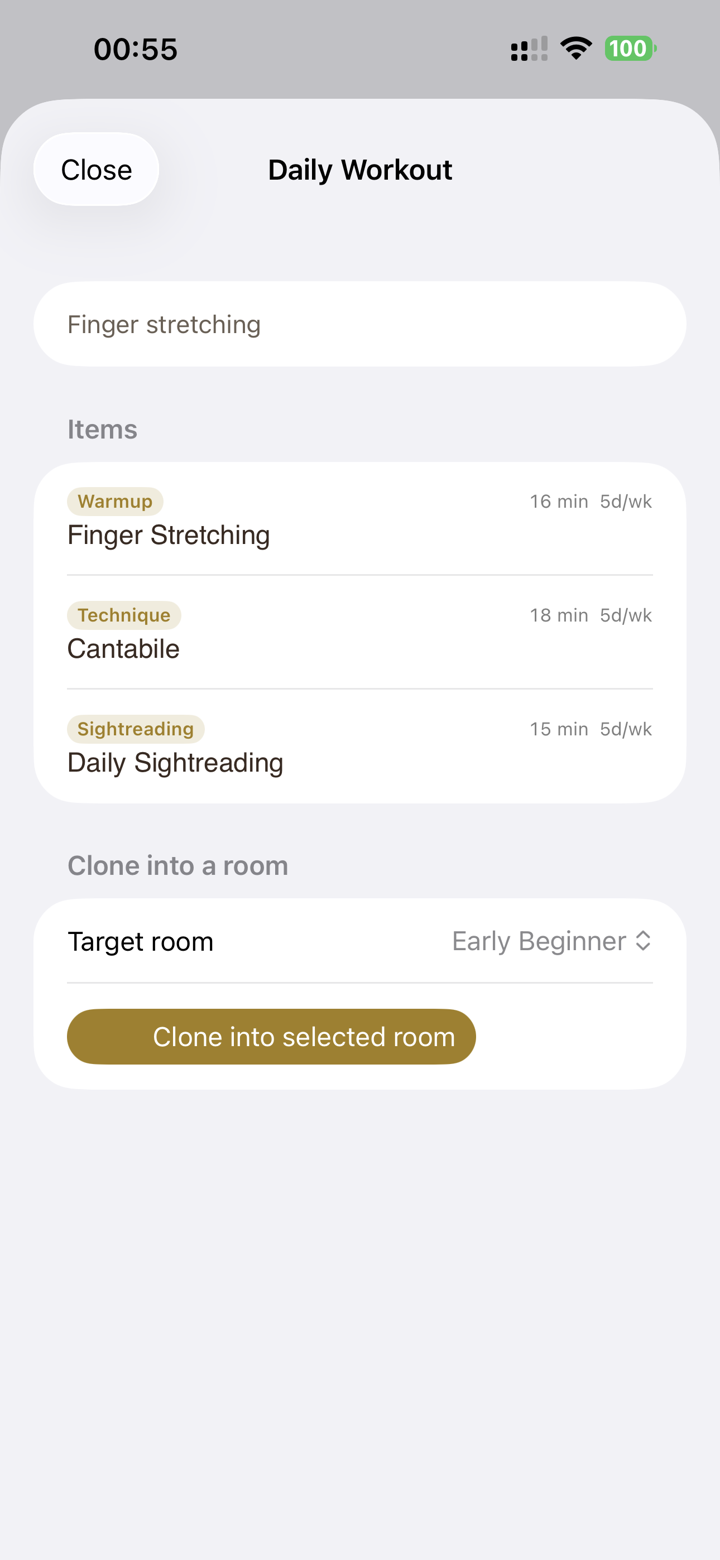
An ordered routine of exercises, scores, and assignments that advances as skills are mastered — with a “move on” option, so it's a nudge, never a wall.
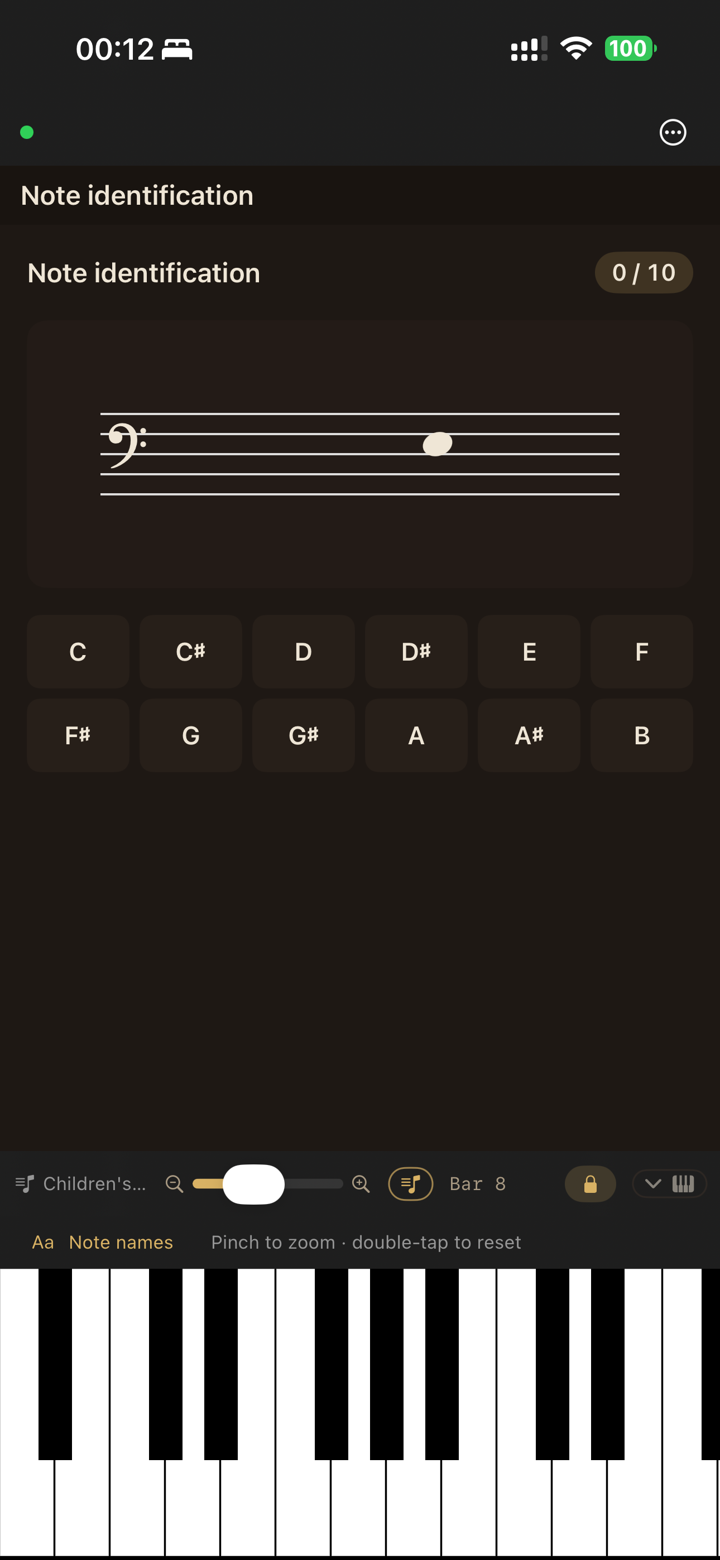
Note and chord identification, scales, and ear training, each tracking mastery over time — for guided practice or a student's own self-study room.
No passwords, no separate account to forget. A private-email option for families that want one. One tap, and you're in.
Versioned Terms of Use, accepted per user and recorded — the kind of thing a school or a parent actually asks about, handled on the first launch.
Students only see the rooms they're invited to. No third-party trackers, no data resale, and audio and video are streamed for the lesson — not stored.
You learned at a grand in a quiet room, and you want your students to feel something close to that — even three time zones away.
Acoustic or digital, upright or grand. If there's a keyboard and an iPad on the music stand, SYNCopated fits.
Opt-in end-of-lesson summaries and a per-student progress view the teacher can share. No dark patterns.
SYNCopated is on iPhone and iPad. Set up a room, invite a student, and teach your next lesson on the same page — wherever you both are.
Download on the App Store